
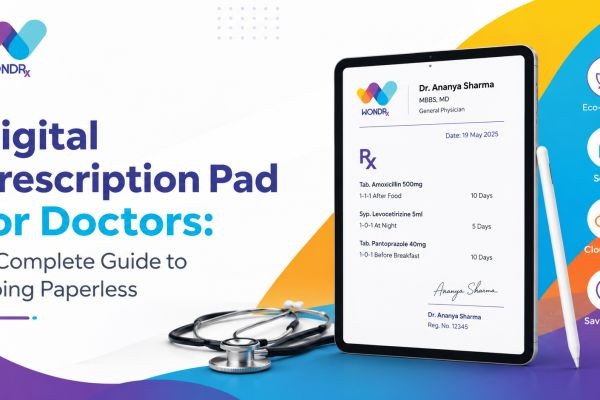
Walk into almost any clinic today and you will still find a stack of paper prescription pads sitting next to the doctor's chair. It's a habit that has survived decades of medical progress, largely because it works, until it doesn't. A misplaced pad, a smudged signature, a patient who can't read the handwriting at the pharmacy counter. These small frictions add up to real problems: medication errors, wasted time, and a workflow that feels out of step with everything else in modern healthcare.
That's the gap a digital prescription pad is built to close. Instead of pen and paper, doctors write, store, and share prescriptions electronically, often from a tablet or a digital writing pad for doctors that mimics the feel of handwriting while producing a clean, legible, and instantly shareable document.
This guide walks through what a digital prescription pad actually is, why more clinics and hospitals are adopting one, how to choose the right system, and what the transition looks like in practice. Whether you're a solo practitioner tired of chasing lost prescription slips or a hospital administrator evaluating a clinic-wide rollout, this article covers the practical details you need before making a decision.
Know More
- How Prescription Data Is Becoming the Most Valuable Asset in Pharma Sales
- How to Keep Patient Records Secure in Your Clinic: India Compliance Guide 2026
- Is Your Patient Record Management System Actually Built for How Indian Clinics Work?
1. What Is a Digital Prescription Pad
A digital prescription pad is software, often paired with a stylus-enabled tablet, that lets a physician create, sign, and issue prescriptions electronically instead of on a paper pad. Rather than scribbling drug names and dosages by hand, the doctor selects medications from a searchable database, sets the dosage and duration, and generates a formatted, legible prescription in seconds.
Most systems also generate a QR code or send the prescription directly to a pharmacy or the patient's phone, which removes the need for a physical handoff altogether. Some platforms integrate with electronic health records (EHR) so that the prescription becomes part of the patient's permanent digital chart automatically, rather than existing as a separate piece of paper that someone has to file later.
In short, a digital prescription pad takes the same clinical decision a doctor has always made, what to prescribe and how, and wraps it in a format that's faster to produce, easier to read, and simpler to track.
2. Digital Prescription Pad vs Digital Writing Pad for Doctors
These two terms get used almost interchangeably, but there's a subtle difference worth understanding before you shop for a solution.
A digital writing pad for doctors usually refers to the hardware, a tablet or e-ink device with a stylus that captures handwriting digitally. Think of it as the physical surface where the doctor writes.
A digital prescription pad, on the other hand, is typically the software layer running on that hardware. It's the application that turns handwritten or typed input into a structured, standardized prescription, complete with drug interaction checks, dosage validation, and a digital signature.
In practice, the two work together. A doctor uses a digital writing pad, the tablet and stylus, to interact with a digital prescription pad, the software that structures and finalizes the prescription. Some vendors bundle both into a single product, while others sell the software separately so it can run on whatever hardware a clinic already owns.
3. Core Features to Look for in a Digital Prescription Pad for Doctors
Not every digital prescription pad for doctors is built the same way, and the feature set matters a lot depending on the size and specialty of your practice. Here's what tends to separate a genuinely useful tool from a basic digital form.
Handwriting or typing input, your choice. Some doctors prefer to write naturally with a stylus on a digital writing pad, while others prefer typing or selecting from templates. The best tools support both without forcing a single workflow.
Digital signature and authentication. For a prescription to be legally valid, it needs a verifiable signature, usually secured through two-factor authentication or a registered digital certificate.
EHR and pharmacy integration. The ability to push a prescription directly into a patient's electronic record, and optionally straight to a partnered pharmacy, removes an entire manual step from the process.
Offline functionality. Clinics in areas with unreliable internet need a system that can queue prescriptions locally and sync once connectivity returns, rather than one that stops working entirely when the network drops.
Template and favorites support. For common conditions, being able to save a standard prescription template saves real time across a busy day of patient visits.
4. How Digital Prescription Pads Improve Patient Safety
Patient safety is really where the case for digital prescribing gets compelling. Medication errors caused by illegible handwriting or transcription mistakes are a well-documented problem in healthcare, and they don't happen because doctors are careless. They happen because paper, by its nature, leaves room for ambiguity.
A digital prescription pad narrows that room considerably. When a drug name is selected from a database rather than handwritten, there's no confusion between similarly named medications. When dosage fields are structured rather than freeform, a decimal point in the wrong place is far less likely to slip through. And when the system actively checks for interactions with a patient's existing prescriptions, it catches combinations that a busy physician, juggling a full day of appointments, might otherwise miss.
None of this replaces clinical judgment. The doctor is still the one deciding what to prescribe. But the tool acts as a second layer of verification that paper simply cannot provide.
5. Compliance and Legal Considerations
Before adopting any digital prescription pad, it's worth understanding the regulatory landscape it needs to operate within. Requirements vary by country and, in places like the United States, by state, so this section covers general principles rather than a specific jurisdiction's rules. Always confirm current requirements with your local medical board or health authority, since regulations in this space do get updated periodically.
Generally speaking, a compliant digital prescription system needs to provide:
- A verifiable digital signature tied to the prescribing physician's credentials
- Secure storage that protects patient health information, in line with data protection standards like HIPAA in the US or equivalent frameworks elsewhere
- An audit trail showing when a prescription was created, modified, or issued
- Support for controlled substance prescribing rules where applicable, which often require additional identity verification steps
If you're evaluating vendors, ask directly whether their platform is certified for e-prescribing of controlled substances in your region, and request documentation of their data security practices rather than taking a sales pitch at face value.
6. Step-by-Step: How the Digital Prescription Workflow Works
For doctors who haven't used one before, here's what a typical digital prescription pad workflow looks like from start to finish.
Step one: Pull up the patient record. The doctor opens the patient's profile, which shows medical history, allergies, and current medications automatically.
Step two: Select or write the prescription. Using a digital writing pad or a typed template, the doctor enters the medication, dosage, frequency, and duration.
Step three: Review system alerts. If the software flags a potential interaction or allergy conflict, the doctor reviews it and adjusts the prescription if needed.
Step four: Sign digitally. The doctor authenticates the prescription with a digital signature, often through a PIN, biometric scan, or secure token.
Step five: Send the prescription. The finalized prescription is transmitted directly to the patient's chosen pharmacy, sent to the patient's phone or email, or printed as a formatted document if a physical copy is still needed.
Step six: Record and archive. The prescription is automatically logged in the patient's file, searchable for future reference without any manual filing.
The entire process typically takes less time than writing the same prescription by hand, once the doctor is comfortable with the interface.
7. Choosing the Right System for Your Practice
There's no single "best" digital prescription pad for every doctor, because the right choice depends heavily on practice size, specialty, and existing infrastructure. A few practical questions can help narrow the field.
Does the platform integrate with the EHR system you already use, or will you need to run two disconnected systems side by side? Is the vendor established enough to still be supporting the product in five years, given how much clinical data will depend on it? What does onboarding and training actually involve, and how long before staff are comfortable using it during real patient visits? And critically, what happens to your data if you decide to switch vendors later, is it exportable in a standard format?
It's also worth requesting a trial period if one is available. A tool that looks efficient in a sales demo can feel very different during a genuinely busy clinic day, and firsthand testing tends to surface friction points that a feature list won't show you.
Conclusion
Switching from paper to a digital prescription pad isn't about chasing a trend. It's a practical response to problems that paper-based prescribing has always carried: illegible handwriting, misplaced slips, and record-keeping that depends on someone remembering to file things correctly. A digital prescription pad for doctors, paired with a reliable digital writing pad for doctors who prefer handwriting over typing, closes those gaps while adding safety checks that paper was never able to offer in the first place.
The transition takes some adjustment, and it's fair to expect a short learning curve as staff and physicians get comfortable with a new workflow. But for most practices, the payoff shows up quickly: fewer pharmacy callbacks, cleaner records, and prescriptions that patients can actually read without a second opinion from the pharmacist. Given where healthcare technology is heading, going paperless on prescriptions isn't really a question of if anymore. It's a question of when, and choosing a system that fits how your practice actually works.
Contact Us
Ready to make your prescription workflow smarter and more connected? WONDRx helps doctors digitize handwritten prescriptions without changing the way they practice.
Have questions about the digital prescription pad, WONDRx Smart Rx Kit, or want to see how it works? Get in touch with the team today.
Email: care@wondrx.com
Phone: +91 84548 01234
- Contact Us: wondrx.com/contact-us
- Book a Demo: WONDRx Homepage – Book Demo
- About WONDRx: About WONDRx
- FAQs: WONDRx FAQs
Take the next step toward a paperless, connected healthcare workflow. Contact WONDRx today.






