
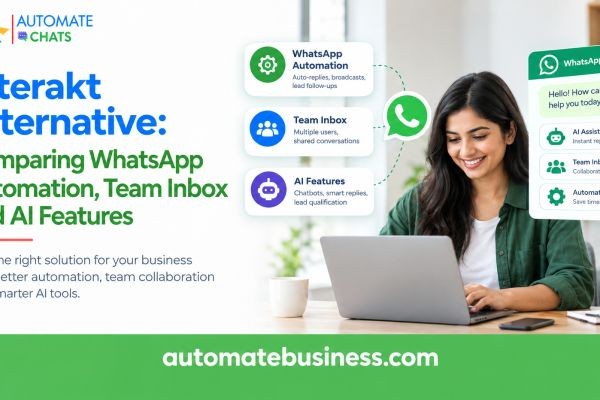
The best Interakt alternative is a platform that combines WhatsApp automation, a shared team inbox and AI assistants in one workspace. Automate Chats WhatsApp API Marketing does this and lets you start with a 7-day free trial. It also connects to your CRM, forms and tasks.
This guide compares the three areas that matter most when you switch: WhatsApp automation, team inbox and AI features. You will also find a checklist for choosing the right tool and answers to common questions.
Why Businesses Look for an Interakt Alternative
Most teams start with WhatsApp as a simple chat channel. Within months, it becomes the main place for sales enquiries, order updates and support requests. Managing all of that from a few phones quickly turns messy.
Growing businesses usually look for a new WhatsApp Business API platform for three reasons. They want smarter automation, better team collaboration and AI that reduces repetitive typing. They also want one connected system instead of five separate tools.
Cost clarity and ease of setup matter too. Small teams rarely have an IT department, so the tool must work without developers. The platform should also grow as your contact list and team grow.
What Makes Automate Chats a Different Kind of WhatsApp Platform
Automate Chats is built as a complete WhatsApp workspace, not a single-purpose messaging tool. You get a team inbox, broadcast campaigns, WhatsApp automation, no-code chatbots, AI assistants, contact management, analytics, and APIs and webhooks. All of it sits behind one login.
It is also part of the Automate Business suite, which includes CRM, tasks, forms, and leave and attendance. That means a WhatsApp conversation can connect directly to a lead, a task or a form entry. You do not need to copy details between apps.
The platform is built for Indian MSMEs. It is a Meta Business Partner and supports teams from solo founders to 200+ members. More than 3,000 businesses across 35+ industries use the Automate Business suite.
WhatsApp Automation: Replies, Reminders and Follow-ups
Good WhatsApp automation keeps customers engaged without keeping your team online around the clock. Automate Chats handles common conversations, scheduled follow-ups and after-hours replies. Your team stays free for the chats that need a human.
You can build sequences that run when a trigger happens. For example, when a contact is tagged as a website lead, the system sends a welcome message immediately. It can share a product guide after one day and check interest after three.
Common automation use cases include:
- Sales follow-ups: Send a WhatsApp message automatically when a lead moves to a new stage.
- Order updates: Share confirmations, shipping status and delivery updates through approved templates.
- Appointment reminders: Reduce no-shows with automated reminders.
- Lead qualification: Ask qualifying questions and route hot leads to sales.
Because automation connects to the CRM, a lead never waits for someone to remember a follow-up. That consistency is where most revenue is won or lost.
No-Code WhatsApp Chatbots Your Team Can Build Alone
A WhatsApp chatbot should not need a developer. The no-code chatbot builder in Automate Chats lets you design step-by-step flows with simple blocks. A flow can start when a customer says "interested," ask which service they want, and save the answer.
The chatbot can then branch based on the response. It can assign the chat to a sales agent using round-robin routing within minutes. The customer gets a fast, guided experience, and your team gets a qualified lead.
This is especially useful for businesses that handle repeated questions. Examples include delivery slots, pricing, admissions and appointment bookings. A guided flow answers these in seconds.
WhatsApp Team Inbox: One Shared View for Every Conversation
A WhatsApp team inbox decides how well your team actually performs. Automate Chats brings sales and support chats into one shared inbox. Every conversation can be assigned to a team member, and the full customer history stays together.
Your team can add internal notes and collaborate in real time. This removes two common problems: missed messages and duplicate replies. A manager can see how many chats are waiting and how many are still unassigned.
The inbox also supports routing. Incoming chats go to the right person, so queries are resolved faster. Customers no longer repeat themselves each time a new agent picks up the conversation.
Contact management supports this workflow. You can store details, tags and groups in one place. Then you can reuse them across conversations, campaigns and automation.
AI Features: Assistants That Answer From Your Business Information
AI is the area where WhatsApp platforms differ the most. The AI assistants in Automate Chats answer common questions using information you provide. That can include your product catalogue, delivery policy or return rules.
When a customer asks about a return, the assistant replies using your actual policy. When a request needs a person, such as a large refund, it hands the conversation to your team. You set the rules for when that handover happens.
There is also a draft-reply feature inside the inbox. The AI prepares a response, and your agent reviews it and inserts it with one keypress. This keeps replies fast while a human stays in control.
This approach protects your brand. Customers get quick answers, and your team gets time back for complex conversations.
Broadcast Campaigns and Analytics You Can Act On
WhatsApp marketing works best when messages reach the right audience. With broadcast campaigns, you choose a segment, personalise approved templates and send. You can then track delivery, reads and replies in one place.
Template management is built in, so approved messages are easy to reuse. One D2C brand using the platform reported reaching 5,000+ customers in a single click. They said their engagement rate rose from 8% to 35%. Results vary by business, but it shows what segmented campaigns can do.
Analytics cover conversation workload, campaign results, chatbot and AI activity, and team performance. You see first-reply time, resolution rate and each agent's load. There is no need to rebuild reports in spreadsheets.
Integrations, APIs and Easy Migration
A WhatsApp tool should fit into the systems you already use. Automate Chats offers APIs and webhooks so customer requests can trigger the next step in your business. The wider suite integrates with IndiaMART, TradeIndia, Google Sheets, Google Calendar, Slack, Gmail and more.
Switching tools is also straightforward. You can bulk upload contacts and leads using CSV files. The onboarding team helps map your existing data, so you can be live in days rather than weeks.
How to Choose the Right Interakt Alternative
Use this checklist when you compare any WhatsApp Business API platform:
- Does it include a shared team inbox with assignment and internal notes?
- Can you build WhatsApp automation and chatbots without code?
- Do AI assistants answer from your own business information and hand over to humans?
- Are campaigns, templates and analytics in the same workspace?
- Does it connect to your CRM, forms and tasks?
- Can you test it with a free trial before committing?
Automate Chats covers each of these points. The 7-day free trial and the option to book a demo let you test it with your own team.
Frequently Asked Questions
- What is the best Interakt alternative for small businesses?
Look for a platform with automation, a shared inbox and AI in one place. Automate Chats offers these along with CRM connections and a 7-day free trial. - Does Automate Chats use the WhatsApp Business API?
Yes. It runs campaigns, support and follow-ups on the WhatsApp Business API, and Automate Business is a Meta Business Partner. - Can I build a WhatsApp chatbot without coding?
Yes. The no-code chatbot builder lets you create guided conversations that collect information and route customers to the right team member. - How does the AI assistant know my business details?
You provide the information, such as catalogue and policies. The assistant answers from that content and hands over to your team when needed. - Can I move my existing contacts?
Yes. You can upload contacts in bulk through CSV, and the onboarding team helps with data mapping.
Final Thoughts
Choosing an Interakt alternative comes down to how well a platform handles automation, team collaboration and AI. Automate Chats combines all three with campaigns, analytics and integrations. That gives your team one clear place to market, sell and support on WhatsApp. Ready to see it in action? Start the 7-day free trial or book a demo.






