
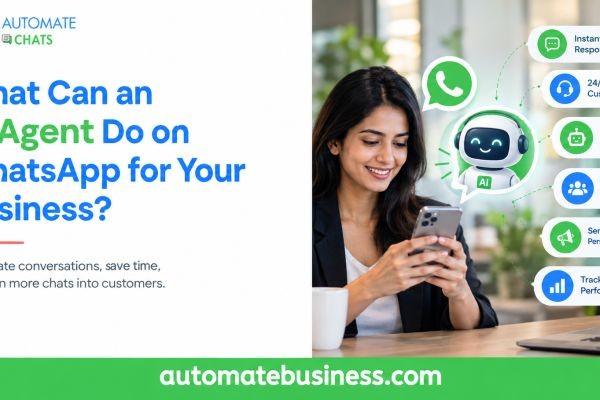
An AI agent on WhatsApp can answer common customer questions, qualify leads, draft replies for your team and pass complex chats to a human. It works from the business information you give it, such as your catalogue and delivery policy. Your team stays in control of every sensitive case.
Automate Chats WhatsApp API Marketing brings this together with a shared team inbox, campaigns and no-code chatbots in one workspace. This guide explains what a WhatsApp AI agent can do, where it fits in your sales and support work, and how Automate Chats differs from typical tools. You will also find a simple way to get started.
What Is an AI Agent on WhatsApp?
A WhatsApp AI agent is an assistant that replies to customers in natural language. It uses the WhatsApp Business API, so it works from your business number and not a personal phone. Customers chat as usual, and the assistant answers on your behalf.
It is different from a basic rule-based chatbot. A rule-based bot follows a fixed script and breaks when a customer asks something unexpected. An AI chatbot for WhatsApp understands the question and answers from the information you provide.
In Automate Chats, the AI assistant is built around your own business content. You add sources such as your product catalogue and delivery policy. The assistant then answers common questions and brings in your team when needed.
Answer Common Customer Questions Instantly
Most WhatsApp messages are repeat questions. Customers ask about prices, delivery slots, return rules and availability. An AI agent handles these without making anyone wait.
For example, a customer asks whether a sale item can be returned. The assistant checks your policy and replies with the exact rule, such as the return window and packaging condition. Your team never has to type the same answer again.
This keeps your business responsive around the clock. Automate Chats supports after-hours replies and scheduled follow-ups, so customers are not left waiting overnight. Your team can then focus on conversations that need judgment.
Draft Replies and Keep Your Team in Control
An AI agent does not have to work alone. In the Automate Chats inbox, the AI can draft a reply that an agent reviews before sending. The agent inserts the draft with a single key press.
This works well when you are not ready to let AI reply fully on its own. Your team still approves what customers see. You save typing time and keep quality high.
It also helps new team members. They see a suggested answer based on your business information, which shortens the learning curve. Over time, you can decide which question types the AI can answer directly.
Hand Over Complex Chats to a Human
The best AI agents know their limits. A sensitive refund, an angry customer or a custom quote needs a person. Automate Chats lets you set handover rules so the assistant passes these chats to your team.
One example rule is a refund above a set amount. When a customer asks for more than that value, the conversation moves to a human agent. The customer gets a smooth transition and does not have to repeat the issue.
The shared team inbox makes this simple. Chats can be assigned to a team member, with internal notes and the full customer history attached. Everyone sees what has already been said, which avoids missed messages and duplicate replies.
Qualify Leads and Run Follow-Ups
An AI agent can act as your first sales conversation. Combined with no-code chatbots, it asks qualifying questions, captures customer details and routes hot leads to your sales team. This works without any developer.
A typical flow starts when a customer sends a message like "interested". The bot asks which service they need and saves the answer. It then branches by response and assigns the lead to sales, for example through round robin.
Follow-ups matter just as much. Automate Chats can auto-send WhatsApp messages when a lead moves to a new stage. A simple nurture sequence might send a welcome message at once, share a product guide after one day and check interest after three days.
Send Order Updates, Reminders and Campaigns
AI and automation also cover the routine messages that keep customers informed. You can send order confirmations, shipping status and delivery updates through approved WhatsApp templates. Appointment reminders reduce no-shows without manual calls.
Broadcast campaigns let you reach segmented audiences with personalized, approved messages. You can then track delivery, reads and replies from one place. Use tags and groups in contact management to target the right people.
Here are common MSME use cases:
- Sales follow-ups: Message leads when they change pipeline stage.
- Order updates: Confirm orders, shipping and delivery.
- Appointment reminders: Cut no-shows with timely nudges.
- Customer support: Route chats to the right team member.
- Marketing broadcasts: Send offers and track engagement.
- Lead qualification: Capture details and route hot leads.
Where AI Agents Help Most by Industry
AI agents are useful wherever customers ask similar questions repeatedly. Automate Chats highlights four industries on its site.
In e-commerce, the agent supports product discovery, orders and support. Education teams use it for enquiries, admissions and student support. In real estate, it qualifies enquiries and coordinates visits.
Healthcare providers use it for appointments, reminders and routine help. Always keep clinical or sensitive questions with a human. The AI should handle only routine, low-risk requests.
How Automate Chats Is Different From Typical WhatsApp Tools
Many WhatsApp tools handle one job, such as broadcasting or simple auto-replies. Automate Chats combines the inbox, campaigns, automation, no-code chatbots, AI assistants, contacts and analytics in one workspace. Your team does not switch between separate tools.
It also pairs AI with human control. You get AI answers, AI-drafted replies and clear handover rules, instead of a bot that runs unchecked. That matters for small teams that cannot afford mistakes in customer chats.
Automate Chats is part of the Automate Business suite, which includes CRM, tasks, forms and attendance. APIs and webhooks connect WhatsApp activity to your other systems. More than 3,000 businesses across 35+ industries use the wider platform.
How to Get Started With a WhatsApp AI Agent
Start small and build trust in the assistant before you expand it. Follow these steps:
- Connect your WhatsApp Business API number.
- Add your team members to the shared inbox.
- Upload your product catalogue and delivery policy as AI sources.
- Set handover rules for refunds and sensitive cases.
- Review AI-drafted replies until you trust the answers.
- Turn on automation for common questions and follow-ups.
Keep your source information accurate. The AI is only as correct as the material it learns from, so update policies whenever they change. Use analytics to track first-reply time, resolution rate and AI activity.
Frequently Asked Questions
- What can an AI agent do on WhatsApp?
It can answer common questions, qualify leads, draft replies, send follow-ups and hand complex chats to your team. - Does the AI use my own business information?
Yes. In Automate Chats, the assistant answers using information you provide, such as your catalogue and policies. - Will the AI replace my team?
No. It handles routine questions, and your team handles the cases that need judgment. Handover rules keep sensitive chats with humans. - Do I need coding skills?
No. You can build chatbot flows with a no-code builder and set up AI assistants without writing code. - Is there a free trial?
Yes. Automate Chats offers a 7-day free trial.
Final Thoughts
An AI agent on WhatsApp works best as a helpful first responder, not a replacement for your people. It answers routine questions fast and keeps your team focused on the chats that matter. With the right handover rules, you get speed without losing control. Start your free trial or book a demo to see Automate Chats work with your own workflow.






