
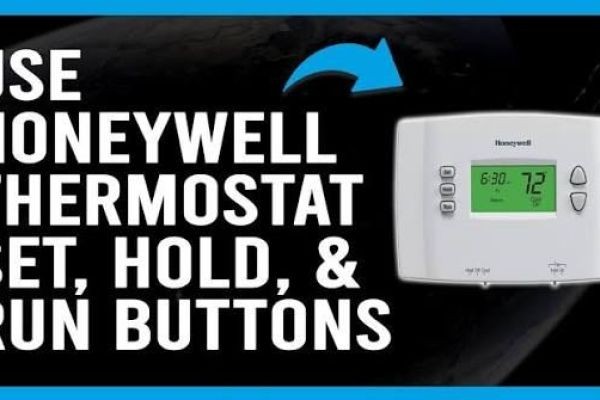
Modern thermostats make it easier for homeowners to control indoor temperatures, maintain comfortable living conditions, and manage heating and cooling schedules. Programmable and smart thermostats offer several useful features that allow users to adjust temperatures according to their daily routines. However, one setting that often causes confusion is the Hold function.
Homeowners frequently search for what does hold mean on a thermostat when they notice that their heating or cooling system maintains one temperature instead of following its regular schedule. In most cases, Hold means the thermostat is overriding its programmed temperature settings and maintaining a selected temperature until a specified time or until the user cancels the setting. Understanding this feature can help you manage indoor comfort, avoid unexpected temperature changes, and operate your HVAC system more effectively.
What Does the Hold Setting Do?
The Hold setting allows a thermostat to maintain a specific temperature instead of automatically following its programmed heating and cooling schedule. Under normal operation, a programmable thermostat changes the temperature throughout the day according to the times and preferences entered by the homeowner.
When Hold is activated, the thermostat generally pauses those scheduled changes and maintains the selected temperature. For example, if your thermostat is programmed to lower the heating temperature overnight but you prefer a warmer bedroom, you can adjust the temperature and activate Hold.
This feature is particularly helpful when your daily routine changes unexpectedly. You may work from home, receive visitors, or spend more time indoors than usual. Instead of modifying the complete thermostat schedule, you can use Hold to maintain your preferred temperature for a specific period.
Understanding Temporary Hold and Permanent Hold
Many programmable thermostats provide two types of Hold settings. Although the exact names and features vary by manufacturer and model, the basic purpose of each option is similar.
Temporary Hold
Temporary Hold maintains your selected temperature for a limited period. On many programmable thermostats, the override remains active until the next scheduled temperature change or until a specific time displayed on the screen.
For example, suppose your thermostat is programmed to reduce heating at 10 p.m., but you are staying awake later than usual. You can increase the temperature and activate Temporary Hold if your thermostat supports this feature. The system will maintain your selected setting until the designated period ends.
This option is useful for short-term adjustments because it allows you to change indoor temperatures without permanently modifying your existing schedule.
Permanent Hold
Permanent Hold maintains a selected temperature until you manually cancel the setting or change it again. Depending on the thermostat model, the display may show "Permanent Hold," "Hold," or a similar message.
This option is useful when your household schedule changes for several days or when you prefer maintaining one temperature throughout the day. However, leaving a fixed temperature active indefinitely may increase energy consumption if the heating or cooling system needs to operate more frequently.
Understanding the difference between temporary and permanent settings makes it easier to choose the right option for your household.
How to Activate Hold on a Programmable Thermostat
Activating Hold is generally straightforward, although the exact steps depend on the thermostat manufacturer and model. Many programmable thermostats allow users to change the temperature using adjustment buttons or a touchscreen before selecting the Hold option.
Follow these general steps:
- Check that the thermostat is operating in the correct heating or cooling mode.
- Adjust the temperature to your preferred setting.
- Locate and press the Hold button or select Hold from the menu.
- Choose Temporary Hold or Permanent Hold if both options are available.
- Check the display to confirm that the selected setting is active.
Some modern smart thermostats use mobile applications or touchscreen menus instead of traditional buttons. Always consult the manufacturer's user manual for accurate instructions specific to your device.
How to Cancel Hold and Resume Your Thermostat Schedule
If your thermostat continues maintaining one temperature instead of following its programmed schedule, Hold may still be active. Most programmable thermostats provide an option such as "Cancel Hold," "Run Schedule," or a similar command to restore automatic operation.
Select the appropriate option according to your thermostat's instructions. Once the override is canceled, the thermostat should return to its programmed temperature settings.
If automatic temperature changes still do not occur, check the current time, day, operating mode, and programmed schedule. An incorrect clock setting or improperly configured schedule can also prevent the thermostat from adjusting temperatures as expected.
For smart thermostats, check whether a mobile application or connected home automation system is controlling the temperature remotely. Another device or automation setting may be overriding your manual adjustments.
Does Using Hold Affect Energy Efficiency?
The Hold function does not automatically increase energy bills. Its impact depends on the selected temperature, how long the override remains active, outdoor weather conditions, insulation, and the efficiency of your heating and cooling equipment.
For example, maintaining a moderate indoor temperature while the property is unoccupied may reduce unnecessary heating or cooling demand. Conversely, maintaining a demanding temperature for an extended period can increase energy consumption if the HVAC system operates more frequently.
Homeowners can manage energy use by selecting practical temperatures, using Temporary Hold for short-term adjustments, and returning to their normal schedule when their routine resumes.
Programmable and smart thermostats also offer scheduling features that allow homeowners to coordinate indoor temperatures with daily activities. Using these functions correctly can support comfort while avoiding unnecessary equipment operation.
Common Reasons the Hold Setting May Not Work
Sometimes the Hold feature does not behave as expected. If your thermostat returns to its regular schedule earlier than anticipated, check whether Temporary Hold was selected and whether its designated period has ended.
If the indoor temperature does not change, verify that the correct heating or cooling mode is active and that the selected temperature is appropriate. Remember that heating and cooling equipment requires time to reach the desired temperature.
A blank display may indicate depleted batteries on battery-powered models or an electrical supply problem. If the thermostat repeatedly shuts down, displays error messages, or fails to communicate with the HVAC equipment, professional inspection may be necessary.
Avoid opening electrical components or attempting wiring repairs without the necessary qualifications. A qualified HVAC technician can inspect the thermostat and connected equipment safely.
When Should You Use the Hold Function?
The Hold function is useful whenever your normal temperature schedule does not match your immediate requirements. Temporary Hold works well when you stay home unexpectedly, entertain visitors, or want a different temperature for a few hours.
Permanent Hold may be more appropriate when you want to maintain one temperature for several days. However, if you regularly override the thermostat schedule, consider updating the programmed temperature settings to better match your lifestyle.
Reviewing your thermostat schedule during seasonal changes can also help maintain comfortable indoor conditions. A well-planned schedule combined with appropriate Hold settings provides convenient temperature control throughout the year.
Conclusion
The Hold function gives homeowners greater control over indoor temperatures by allowing them to override automatic thermostat schedules. Temporary Hold is suitable for short-term adjustments, while Permanent Hold maintains a selected temperature until the setting is canceled or changed. Understanding these options makes it easier to manage comfort, temperature schedules, and energy consumption. Since Hold features vary between thermostat manufacturers and models, consult the user manual for accurate instructions and contact a qualified technician when persistent operating problems occur.






