
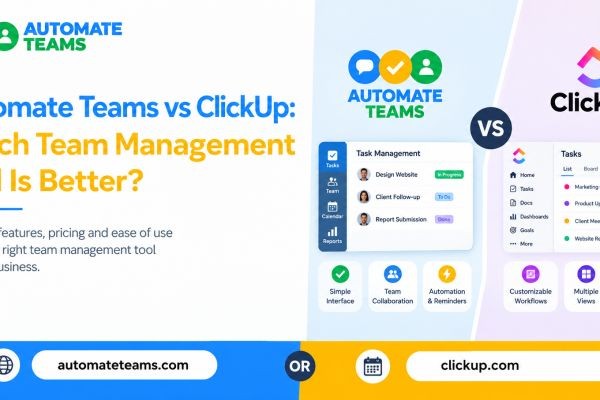
Automate Teams App vs Click Up comes down to what your business needs to manage. The Automate Teams App is the better team management tool for Indian MSMEs that want tasks, team conversations, attendance, payroll and training in one workspace. Click Up is stronger for teams that want deep project customization and many ways to view work. This guide compares both tools on features, pricing, ease of use and HR needs. By the end, you will know which team management software fits your team size, industry and budget.
What Is the Automate Teams App?
The Automate Teams App is an all-in-one workspace that connects your team’s work with your people operations. It brings together task management, an internal inbox, leave and attendance, payroll and a built-in learning module (LMS). The idea is simple: “Less chasing. More work done.” Instead of juggling WhatsApp groups, registers, spreadsheets and separate HR tools, everything sits under one employee record. Roles and permissions control who can see and manage what. It is built for Indian MSMEs and for teams in the Middle East. Owners, HR and finance staff, and field employees each get a view that fits their job. The app runs on web, Android and iOS.
What Is Click Up?
Click Up is a well-known project and task management platform that positions itself as an “everything app for work.” It offers tasks, docs, dashboards, goals, time tracking and many views such as list, board and calendar. It also connects with a long list of popular tools. Click Up's main strength is flexibility. Teams can shape spaces, folders, lists and custom fields to match almost any project process. That flexibility has a trade-off. Click Up is a project management tool first, so HR work like attendance, leave and payroll usually needs separate software.
Automate Teams vs Click Up: Feature Comparison
Here is how the two team management tools compare on the features most businesses use every day.
- Task management
Both tools let you assign work, set deadlines and track progress. The Automate Teams App covers deadlines, priorities, checklists, sub-tasks and recurring work. It also sends automatic reminders on WhatsApp or email, which suits teams that live on WhatsApp. Click Up goes deeper on project views and custom fields. That helps complex projects, but it can feel heavy for a small team that only needs clear ownership. - Team communication
In the Automate Teams App, you can turn a conversation into a tracked task. A message like “Need the invoice copy before 4 PM” becomes a task with an owner and a due time. The discussion, the owner and the next step stay together. Click Up also offers chat and comments, but its strength is in project collaboration. For many MSMEs, the Teams App approach of keeping conversations beside the work is faster to adopt. - Attendance and leave
This is where the two tools differ most. The Automate Teams App includes attendance with face clock-in, geo-fence checks, shifts, rosters, leave requests and regularization. Owners see who is present, late, on leave or absent at a glance. Click Up does not focus on attendance or leave management. Businesses with branches, shifts or field staff would need another tool for this.
Payroll and Training: A Clear Advantage for Automate Teams
- Payroll connected to attendance
The Automate Teams App feeds attendance, shifts, holidays and approved leave straight into payroll. EPF, ESI and TDS are auto-calculated, and pay slips stay connected to the same records. You do not rebuild the data every month. Click Up is not built around payroll. If you choose it, you will likely pay for a separate HR and payroll system and move data between them. - Built-in training for new joiners
The Teams App includes an LMS, so you can assign courses like a safety induction and track completion by staff member. This helps manufacturing units, schools, clinics and service firms onboard people faster. Click Up can store training documents, but it is not a learning management system. You would need to track completion manually or add another tool. - Pricing: Per-User Plans vs Unlimited Members
Pricing often decides the choice. Click Up offers a free plan and tiered paid plans billed per user, so costs rise as your team grows. Advanced features, AI add-ons and higher limits typically sit in the paid tiers.
Every Automate Teams App plan includes unlimited workspace members. You do not pay per user. What changes between plans is the number of active projects, shared storage and how much of the HR, payroll and learning suite is included. For a business with 50 or more employees, including field staff and shop-floor workers, this model can be far easier to budget. You can compare plans on the Automate Teams pricing page. - Ease of Use and AI Support
A tool only helps if your team actually uses it. The Automate Teams App keeps the screen simple, with Home, Inbox, Tasks, Leaves, Payroll and LMS. Employees can check tasks, mark attendance, apply for leave and complete training on mobile.
AI is built into everyday work. You can describe a task by prompt or voice note, and the app drafts the task, deadline and priority. Recurring tasks and reminders keep daily checks, approvals and follow-ups on schedule. Task activity summaries and reports help you spot delays without chasing updates.
Click Up also offers AI features, but they are often add-ons with extra cost. Its large feature set can also take time to learn, so many teams need a dedicated person to set it up.
Who Should Choose Which Tool?
- Choose the Automate Teams App if:
You run an MSME, factory, school, clinic, agency or service business in India or the Middle East.
You want attendance, leave, payroll and training in the same place as tasks.
You have many employees, branches or field staff and do not want to pay per user.
You want WhatsApp and email reminders to keep work moving. - Choose Click Up if:
Your work is project-heavy, with complex workflows and many custom views.
Your team is comfortable with a steep learning curve.
HR and payroll are already handled by another system.
Frequently Asked Questions
- Is Automate Teams a good Click Up alternative?
Yes. The Automate Teams App is a good Click Up alternative for businesses that need task management plus attendance, leave, payroll and training. It is especially suited to Indian MSMEs. - Does Automate Teams include payroll?
Yes. Attendance, shifts, holidays and approved leave feed into payroll, with EPF, ESI and TDS auto-calculated. - Do I pay per user in Automate Teams?
No. Every plan includes unlimited workspace members. Plans differ by active projects, shared storage and the level of HR, payroll and learning features. - Can employees use Automate Teams on mobile?
Yes. It works on web, Android and iOS, so staff can update tasks, mark attendance and apply for leave from anywhere. - Is the Teams inbox the same as Automate Chats?
No. The Teams inbox is for conversations inside your business. Automate Chats is the shared WhatsApp Business API inbox for customer conversations. - Can I see Automate Teams before buying?
Yes. You can book a demo to walk through your tasks, attendance, payroll and training needs.
Final Verdict: Which Team Management Tool Is Better?
For most Indian MSMEs, the Automate Teams App is the better choice. It covers the full cycle of running a team, from a conversation to a tracked task to attendance and payroll. Unlimited members and mobile-first design also make it practical for non-office staff. Click Up remains a strong Click Up-style project platform for teams that need deep customization. But if you are looking for a simple Click Up alternative that also handles people operations, the Automate Teams App gives you more in one place. The best way to confirm is to book a demo and test it with your own workflow.






