
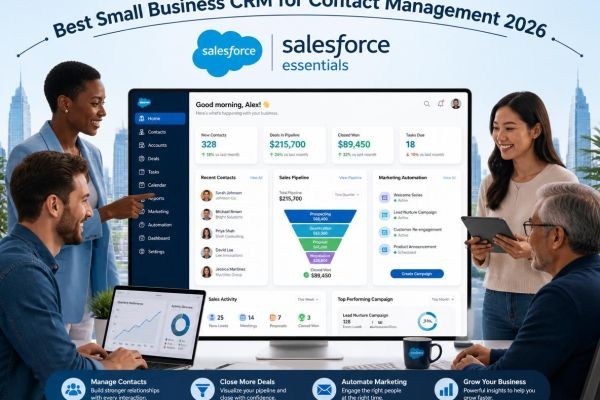
In today's competitive marketplace, customer relationships are one of the most valuable assets a small business can have. Whether you're following up with new leads, managing existing clients, or tracking sales opportunities, staying organized is essential for long-term success. Unfortunately, many small businesses still rely on spreadsheets, notebooks, or scattered software, making it difficult to manage customer information effectively.
That's where the best small business CRM contact management software makes a difference. A Customer Relationship Management (CRM) platform helps businesses organize contacts, automate communication, streamline sales, and deliver exceptional customer experiences—all from a single dashboard.
This guide explores why CRM contact management matters, the features that make a CRM effective, and how small businesses can choose the right solution to support sustainable growth.
What Is CRM Contact Management?
CRM contact management is the practice of storing, organizing, and managing customer and prospect information in one centralized system. Instead of searching through emails or multiple files, businesses can access every customer interaction, purchase history, and communication record in seconds.
A modern CRM typically stores:
- Customer names and contact details
- Business information
- Email conversations
- Phone call records
- Meeting notes
- Sales opportunities
- Purchase history
- Support requests
- Documents and contracts
- Follow-up reminders
This centralized approach improves organization and enables teams to provide faster, more personalized service.
Why Contact Management Matters for Small Businesses
Small businesses often operate with limited staff and resources. Every customer interaction counts, and losing track of a lead or forgetting a follow-up can result in lost revenue.
Without a CRM, businesses commonly face challenges such as:
- Missing customer inquiries
- Duplicate contact records
- Delayed follow-ups
- Poor communication between departments
- Difficulty tracking sales opportunities
- Limited visibility into customer history
The best small business CRM contact management solution eliminates these issues by creating a single source of truth for customer information.
Benefits of Using CRM Contact Management Software
Keep Customer Information Organized
A CRM allows businesses to manage all customer information in one secure location. Employees can instantly access contact details, communication history, service records, and notes without searching through multiple systems.
This improves efficiency and reduces errors.
Improve Lead Follow-Up
Quick responses often determine whether a lead becomes a customer.
CRM software helps businesses:
- Capture leads automatically
- Assign them to the right salesperson
- Schedule follow-ups
- Track communication history
- Monitor progress through the sales pipeline
No opportunity is overlooked.
Save Time with Automation
Manual tasks consume valuable time that could be spent serving customers.
CRM automation can handle:
- Welcome emails
- Appointment confirmations
- Follow-up reminders
- Lead assignments
- Customer onboarding
- Renewal notifications
Automation ensures consistency while allowing teams to focus on higher-value work.
Deliver Better Customer Experiences
Customers expect businesses to remember previous conversations and understand their needs.
A CRM makes this possible by storing:
- Previous purchases
- Support interactions
- Preferences
- Notes from meetings
- Important dates
Personalized communication helps build trust and long-term loyalty.
Strengthen Team Collaboration
Sales, marketing, and customer service teams often need access to the same customer information.
With a CRM, everyone works from the same database, improving communication and reducing confusion.
Essential Features of the Best Small Business CRM Contact Management Software
Centralized Contact Database
A reliable CRM should allow businesses to organize:
- Customers
- Leads
- Vendors
- Business partners
- Referral contacts
Everything should be searchable and easy to update.
Contact Segmentation
Not every customer is the same.
CRM software should allow businesses to group contacts based on:
- Industry
- Location
- Purchase history
- Customer type
- Sales stage
- Interests
Segmentation enables more targeted marketing campaigns.
Sales Pipeline Tracking
Visual pipelines help businesses monitor every stage of the sales process.
Common stages include:
- New Lead
- Initial Contact
- Qualified Opportunity
- Proposal Sent
- Negotiation
- Closed Won
- Closed Lost
Pipeline tracking helps managers forecast revenue and identify sales bottlenecks.
Workflow Automation
Automation improves consistency while reducing repetitive work.
Examples include:
- Lead assignment
- Email campaigns
- SMS reminders
- Internal notifications
- Customer onboarding
- Review requests
These workflows operate automatically once configured.
Calendar and Email Integration
The best CRM systems integrate seamlessly with:
- Google Workspace
- Microsoft Outlook
- Gmail
- Google Calendar
- Outlook Calendar
- Zoom
- Microsoft Teams
This allows employees to manage communication and appointments from one platform.
Mobile Access
Business owners and sales representatives often work remotely.
A mobile CRM allows users to:
- View customer records
- Update deals
- Schedule appointments
- Add notes
- Respond to inquiries
Anytime, anywhere.
Reporting and Dashboards
Data helps businesses make informed decisions.
Useful CRM reports include:
- Lead conversion rates
- Sales performance
- Customer acquisition
- Revenue forecasts
- Customer retention
- Team productivity
These insights help businesses optimize operations and improve profitability.
Industries That Benefit Most from CRM Contact Management
CRM software supports businesses across virtually every industry.
Popular examples include:
- Marketing agencies
- HVAC contractors
- Plumbing companies
- Roofing businesses
- Cleaning services
- Pest control companies
- Real estate agencies
- Insurance providers
- Medical practices
- Law firms
- Consultants
- E-commerce businesses
If your business interacts with customers, a CRM can improve efficiency and service quality.
How to Choose the Best Small Business CRM Contact Management Solution
With so many CRM platforms available, selecting the right one requires careful consideration.
Ease of Use
Your CRM should have an intuitive interface that employees can learn quickly.
Scalability
Choose software that grows alongside your business, allowing you to add users, automate additional workflows, and expand functionality as needed.
Automation Features
Look for built-in automation that reduces manual work without requiring advanced technical knowledge.
Integration Options
The CRM should integrate with tools your business already uses, including:
- Accounting software
- Email marketing platforms
- Scheduling applications
- Payment gateways
- Customer support software
Security
Customer information is valuable. Ensure the platform offers secure data storage, user permissions, and regular backups.
Common Mistakes to Avoid
Even the best CRM won't deliver results if it's not used correctly.
Avoid these common mistakes:
- Failing to update customer records
- Ignoring automation features
- Creating duplicate contacts
- Not training employees
- Overcomplicating workflows
- Failing to review CRM reports regularly
Consistent use and clean data are essential for long-term success.
The Future of CRM Contact Management
CRM technology is evolving rapidly, driven by artificial intelligence and automation.
Emerging trends include:
- AI-powered contact insights
- Predictive lead scoring
- Intelligent workflow recommendations
- Voice-enabled CRM
- Conversational AI assistants
- Personalized customer journeys
- Advanced analytics dashboards
These innovations will continue helping businesses improve customer relationships while increasing operational efficiency.
Why CRM Contact Management Is a Smart Investment
Investing in the best small business CRM contact management solution isn't just about organizing contacts—it's about creating a scalable system that supports growth.
With a CRM, businesses can:
- Respond faster to customer inquiries
- Improve internal collaboration
- Increase lead conversions
- Strengthen customer loyalty
- Automate repetitive tasks
- Gain valuable business insights
The result is a more efficient organization that can focus on delivering value instead of managing paperwork.
Final Thoughts
Every customer interaction is an opportunity to build trust and grow your business. By implementing the best small business CRM contact management software, small businesses can organize their customer data, automate daily operations, and create better experiences for every client.
Whether you're a startup looking for your first CRM or an established company ready to upgrade your processes, choosing the right contact management solution can improve productivity, increase sales, and provide a strong foundation for long-term success.
Frequently Asked Questions (FAQs)
What is CRM contact management?
CRM contact management is the process of organizing customer information, communication history, tasks, and sales activities within a centralized software platform.
Why do small businesses need CRM software?
A CRM helps small businesses stay organized, automate repetitive tasks, improve customer communication, and manage leads more efficiently.
Can CRM software increase sales?
Yes. By improving lead tracking, automating follow-ups, and providing better visibility into the sales pipeline, CRM software can significantly improve conversion rates.
What features should I prioritize in a CRM?
Look for contact management, automation, sales pipelines, reporting, mobile access, integrations, and strong security features.
Is CRM software affordable for small businesses?
Many CRM providers offer flexible pricing plans designed specifically for startups and small businesses, allowing them to scale as they grow.






