
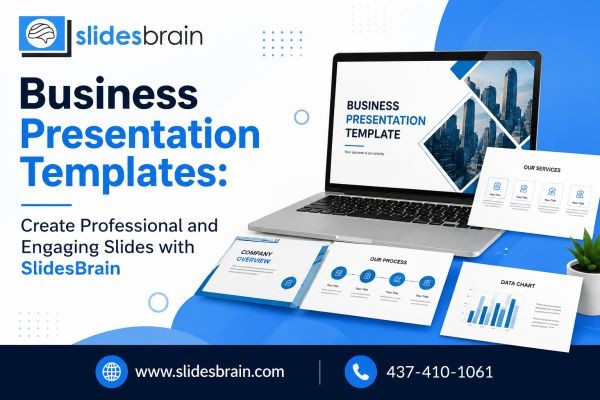
In today’s competitive business environment, presenting information clearly can make a major difference. Whether you are pitching an idea, presenting quarterly results, introducing a new product, or explaining a business strategy, your presentation needs to be professional, organized, and easy to understand. This is where Business Presentation Templates can make the presentation process simpler and more effective.
A well-designed template gives your slides a consistent structure while helping you focus on your message instead of spending hours deciding layouts, fonts, graphics, and visual elements. With SlidesBrain, professionals, entrepreneurs, marketers, educators, and business teams can explore presentation concepts designed to support clear and engaging communication.
Why Business Presentation Templates Matter
A business presentation is more than a collection of slides. It is a visual tool for communicating ideas, data, plans, and decisions to an audience. Even valuable information can lose its impact when slides are crowded, inconsistent, or difficult to follow.
Business presentation templates provide a ready-made visual framework for organizing your content. Instead of beginning with a blank presentation, you can work with professionally structured slide layouts and customize them according to your requirements.
Templates can help with:
- Creating consistent slide designs
- Organizing business information logically
- Presenting data in a visually understandable way
- Improving readability and navigation
- Reducing presentation design time
- Maintaining professional branding
- Making important information easier to remember
The goal should not simply be to create attractive slides. A strong presentation should help the audience understand the message quickly and confidently.
What Makes a Good Business Presentation Template?
Not every template is suitable for every business presentation. The right option should support the purpose of your presentation and make your information easier to communicate.
1. Clear and Professional Layouts
A professional layout gives every element enough space and creates a natural visual hierarchy. Titles, subtitles, charts, images, and supporting information should be positioned in a way that guides the viewer through the slide.
A clean layout is especially useful for executive presentations, sales meetings, investor pitches, company reports, and strategic planning.
2. Easy Customization
A template should provide flexibility rather than restrict creativity. Users may need to change colors, typography, images, icons, charts, and text according to their company identity.
Customizable business presentation templates make it easier to adapt a design to different audiences and presentation goals.
3. Consistent Visual Style
Consistency creates a more polished presentation. Similar typography, spacing, graphic elements, and design patterns can help your presentation feel like one complete story instead of unrelated individual slides.
For companies, consistency can also reinforce brand recognition throughout internal and external presentations.
4. Effective Data Presentation
Business audiences often need to understand numbers, comparisons, trends, and performance indicators. A useful template can provide layouts for charts, graphs, timelines, tables, statistics, and comparison slides.
Instead of placing large blocks of numbers on a slide, presenters can use visual structures to highlight the most important insights.
Different Types of Business Presentation Templates
Business presentations can have very different objectives. Choosing a template based on the purpose of your presentation can improve its effectiveness.
Corporate Presentation Templates
Corporate presentations are commonly used for company introductions, annual reports, internal meetings, business updates, and organizational communication.
A professional corporate presentation may include slides for company information, mission and vision, services, achievements, business performance, team details, and future goals.
Sales Presentation Templates
Sales presentations need to communicate value quickly. They may include product benefits, customer challenges, solutions, pricing information, market opportunities, and competitive advantages.
A well-structured sales presentation template helps sales teams organize their message around the audience’s needs.
Marketing Presentation Templates
Marketing teams often need to present campaign strategies, audience insights, market research, content plans, and performance metrics.
Templates can help marketers turn research and data into a visual story that stakeholders can understand more easily.
Business Proposal Templates
A business proposal presentation may be used to introduce a project, explain a solution, discuss objectives, present estimated outcomes, and outline next steps.
A structured proposal template can help maintain a logical flow from the problem to the proposed solution.
Investor Presentation Templates
Entrepreneurs and startups often use presentations to communicate business opportunities to potential investors. These presentations may cover the problem, solution, market size, business model, competitive landscape, growth strategy, financial projections, and team.
The design should support credibility and clarity without distracting the audience from the business opportunity.
How to Choose the Right Business Presentation Templates
Selecting a template should begin with your presentation objective.
Ask yourself:
Who is the audience?
A presentation for senior executives may require a different visual approach than a presentation designed for customers or a creative team.
What is the purpose?
A sales pitch, business proposal, training session, and financial report all require different types of information.
What information needs emphasis?
If your presentation is data-heavy, look for layouts that make charts, statistics, and comparisons easier to understand.
Does the template support your brand?
Choose a design that can be adapted to your logo, brand colors, typography, and overall visual identity.
Is the presentation easy to follow?
A visually impressive template is not helpful if the audience cannot understand the information quickly.
How SlidesBrain Can Support Better Presentation Design
SlidesBrain focuses on presentation resources and design concepts that can help users build more polished and engaging slides. Instead of treating every presentation as a blank canvas, users can start with structured design ideas and customize them around their content.
A useful presentation workflow can begin with the message, followed by the structure and visual design.
For example, a business presentation might follow this sequence:
- Start with the main objective.
- Identify the audience.
- Organize the most important information.
- Select suitable presentation layouts.
- Add relevant visuals and supporting data.
- Maintain consistent typography and spacing.
- Remove unnecessary information.
- Review the complete presentation from the audience’s perspective.
This approach helps ensure that design supports communication rather than becoming the main focus.
Tips for Creating More Engaging Business Presentations
Keep One Main Idea Per Slide
Trying to communicate too many ideas on one slide can overwhelm viewers. Whenever possible, focus each slide on one primary message.
Use Visuals With Purpose
Images, icons, diagrams, and charts should have a clear purpose. Avoid adding graphics simply to fill empty space.
Highlight Important Data
If a slide contains multiple statistics, identify the number or trend that matters most. Visual emphasis can help your audience understand the key takeaway faster.
Use Short, Readable Text
Long paragraphs can make presentations difficult to follow. Convert complicated information into concise points, short statements, diagrams, or visual summaries.
Maintain Design Consistency
Use a consistent visual system throughout the presentation. Similar fonts, spacing, headings, and graphic treatments make the overall presentation easier to navigate.
Tell a Logical Story
A presentation should have a beginning, middle, and conclusion. Introduce the situation, explain the important information, present the solution or insight, and finish with a clear takeaway or action.
Business Presentation Templates and Modern Search Visibility
When businesses create online content around presentation resources, quality should come before simply adding keywords. Google’s current guidance emphasizes helpful, reliable, people-first content that provides unique value rather than content created primarily to manipulate rankings.
Google also states that useful, original content remains important for AI-powered search experiences, including AI Overviews and AI Mode. Clear organization, meaningful information, and content that genuinely satisfies users can therefore be more valuable than repetitive keyword placement.
For this reason, naturally discussing topics such as business presentation design, professional slides, presentation layouts, corporate presentations, visual storytelling, and presentation templates can create a better experience than repeatedly forcing an exact keyword into every section.
Why Professional Presentation Design Is Worth the Effort
A presentation can influence how people perceive an idea, proposal, company, or strategy. Poorly organized slides may make even strong information difficult to understand, while thoughtful presentation design can make complex concepts more approachable.
Business presentation templates help reduce the design burden by providing a starting point. They allow users to spend more time improving the message and less time creating every visual element from scratch.
For busy professionals, this can be especially valuable when presentations need to be prepared quickly without sacrificing organization and visual quality.
Create More Impactful Presentations With SlidesBrain
A professional presentation does not need to be complicated. The right structure, useful visuals, consistent design, and clear messaging can transform ordinary business information into a presentation that is easier to understand and remember.
If you are preparing a company presentation, sales deck, marketing strategy, business proposal, investor pitch, or corporate report, SlidesBrain can be a useful starting point for exploring creative presentation design ideas and Business Presentation Templates.
Ready to improve your next presentation? Explore SlidesBrain and discover presentation templates and design solutions that can help you create clearer, more professional, and engaging business slides. Start building your next presentation with a design that supports your message and leaves a stronger impression.
Conclusion
Business presentations play an important role in modern communication. Whether you are sharing business results, presenting a proposal, introducing a product, or pitching a new opportunity, the way information is presented can influence how effectively your audience understands it.
Business Presentation Templates provide a practical foundation for creating organized and professional slides. With the right layouts, visuals, data presentation, typography, and storytelling structure, you can create presentations that communicate ideas with greater clarity.
With SlidesBrain, you can explore presentation design concepts that help transform your ideas into visually engaging business presentations. Instead of starting from scratch, use a structured template as the foundation, customize it around your message, and create slides designed for your specific audience.
A great business presentation is not simply about making slides look attractive—it is about making important ideas easier to understand, communicate, and remember.






