
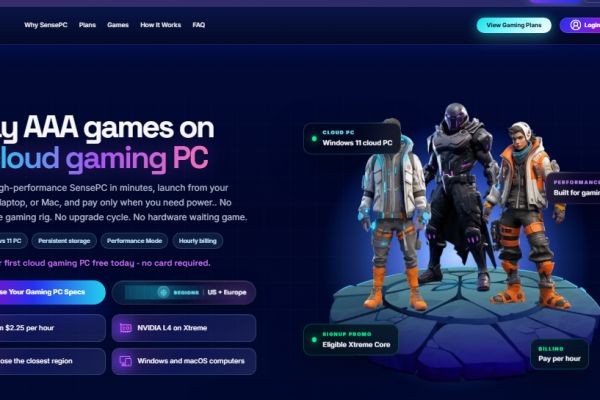
Modern PC gaming doesn't always require an expensive desktop sitting on your desk. With cloud computer gaming, players can access remote computing hardware and run demanding games through an internet connection.
Instead of purchasing a powerful GPU, CPU, RAM, and storage, users can access these resources through a cloud PC. This makes cloud gaming an attractive option for laptop users, travelers, older PC owners, and gamers looking for a flexible alternative to traditional hardware.
For users researching the best cloud gaming options or a Shadow PC alternative, SensePC is another cloud computing platform worth considering.
What Is Cloud Computer Gaming?
Cloud computer gaming means running games on a remote computer rather than relying entirely on the hardware inside your local device.
The remote cloud computer performs the demanding processing. Its CPU and GPU render the game, while the gameplay is streamed to your device.
Your keyboard, mouse, or controller inputs are transmitted back to the remote machine.
The basic process is:
Gaming Device → Internet → Cloud PC → Game Processing → Streamed Gameplay → Gaming Device
This allows devices with modest local hardware to potentially access more powerful computing resources.
How Does a Cloud PC Game Work?
A cloud PC game runs on a remote virtual or physical computer hosted by a cloud provider.
Depending on the service, you may receive a complete Windows environment where you can install supported games and applications.
The cloud computer can provide:
- GPU resources
- CPU processing
- RAM
- SSD storage
- Windows desktop access
- Remote connectivity
The local device primarily handles the connection and display rather than performing all of the demanding game rendering.
Benefits of Cloud Computer Gaming
Access Powerful Hardware
Cloud computing can provide access to GPUs and CPUs that may be too expensive to purchase locally.
Lower Upfront Investment
Instead of building a high-end gaming PC, users can pay for access to remote computing resources.
No Physical Maintenance
The provider manages the physical infrastructure, reducing the need to maintain or upgrade your own gaming hardware.
Gaming From Multiple Devices
A cloud gaming environment can provide access from supported laptops, desktops, and other compatible devices.
More Than Gaming
A full cloud PC can also support AI development, software development, video editing, 3D rendering, and other GPU-intensive workloads.
What Makes the Best Cloud Gaming Service?
There is no single best cloud gaming service for everyone. The right option depends on your games, location, internet connection, budget, and preferred level of control.
Before choosing a provider, consider these factors.
GPU Performance
The GPU is one of the most important components for gaming. Look at the actual GPU specifications rather than relying on marketing descriptions.
CPU Performance
A capable CPU is important for CPU-intensive games and multitasking.
RAM
Modern games can require substantial memory, particularly when running alongside other applications.
Storage
Check how much SSD storage is available for games and applications.
Network Latency
Cloud gaming relies on real-time communication. Lower latency generally produces more responsive controls.
Server Location
A nearby server can potentially reduce network delay and improve responsiveness.
Cloud Computer Gaming vs. Traditional Gaming
Both approaches have different advantages.
| Feature | Cloud Computer Gaming | Traditional Gaming PC |
|---|---|---|
| Hardware ownership | Not required | Required |
| Upfront investment | Generally lower | Generally higher |
| Maintenance | Provider-managed | User-managed |
| Portability | High | Limited |
| Internet dependency | High | Low |
| Physical space | Minimal | Required |
| Hardware upgrades | Configuration-based | Physical replacement |
Traditional gaming PCs remain a good option for users who want complete hardware ownership and local processing.
Cloud gaming can be more attractive for users who prioritize flexibility and remote access.
How to Choose a Cloud PC Game Platform
Before subscribing to a cloud gaming service, compare more than the monthly price.
Check GPU Specifications
Make sure the available GPU is suitable for your games and desired graphical settings.
Check Server Locations
A server closer to your location can help reduce latency.
Review Storage
Large modern games can require significant disk space, so check the available SSD capacity.
Test Network Performance
If a trial is available, use it to evaluate latency and connection stability.
Check Usage Policies
Look for session limits, storage restrictions, bandwidth policies, and other limitations.
Review Operating System Access
A complete Windows cloud PC can offer more flexibility than a platform limited to a predefined catalog of games.
Finding a Shadow PC Alternative
Gamers searching for a Shadow PC alternative should compare the complete cloud computing experience.






