
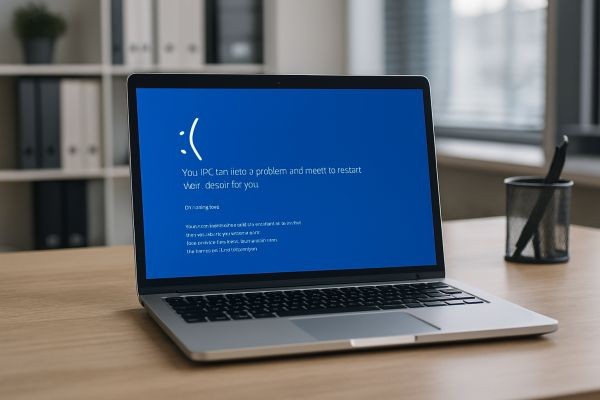
That sudden, chilling sight is all too familiar for many computer users. The screen turns a stark blue, displaying cryptic white text about a critical error before your system halts entirely. This is the Blue Screen of Death, a modern digital nightmare that signals a serious problem with your Windows PC. When it strikes, it often means lost work, frustration, and the urgent need for a skilled professional. For residents seeking a solution, expert Computer Repair Sydney services are the definitive answer. These specialists don’t just restart your machine; they perform deep diagnostics to uncover the root cause, whether it’s a hardware fault, driver conflict, or system corruption. Their expertise extends across all devices, including comprehensive laptop repair in Sydney, ensuring a tailored fix that brings stability back to your essential technology.
Understanding the Blue Screen of Death
The Blue Screen of Death, often abbreviated as BSOD or called a stop error, is a protective mechanism. When the Windows operating system encounters a critical fault from which it cannot safely recover, it halts all operations to prevent potential data corruption or hardware damage. That blue screen is its final action, designed to preserve system integrity by stopping everything.
The error message displayed, though often intimidating, contains vital clues. It typically includes a specific stop code, such as "CRITICAL_PROCESS_DIED" or "IRQL_NOT_LESS_OR_EQUAL," and the name of a problematic file. This information is the starting point for any effective troubleshooting process. Understanding that a BSOD is a symptom, not the disease itself, is key to a lasting repair.
Common Culprits Behind BSOD Errors
The causes of a Blue Screen of Death are varied, but they generally fall into a few key categories. Expert technicians systematically investigate each potential source to pinpoint the exact issue.
Faulty or Incompatible Hardware
Hardware problems are a leading cause. Failing RAM (Random Access Memory) modules are frequent offenders, causing random stop errors. An overheating CPU or GPU, often due to dust-clogged fans or failed thermal paste, can trigger a BSOD under load. Other culprits include a failing hard drive or SSD, a problematic power supply unit (PSU), or even incompatible components, especially after a recent upgrade.
Corrupted or Outdated Device Drivers
Drivers are the software that allows your operating system to communicate with hardware. A corrupted, outdated, or incompatible driver can easily cause a system crash. Common problematic drivers include those for graphics cards, network adapters, and chipset components. A BSOD that occurs after installing new hardware or a software update often points directly to a driver conflict.
Software Conflicts and System File Corruption
Aggressive malware or virus infections can corrupt critical system files, leading to stop errors. So can faulty Windows updates or conflicts between installed programs. Disk errors, often resulting from an improper shutdown (sometimes caused by a previous BSOD), can damage the file system and the essential files needed for Windows to run, creating a destructive cycle.
Overheating and Power Supply Issues
Computers generate significant heat. When cooling systems fail, components like the CPU and GPU can exceed safe temperatures, forcing a shutdown via a BSOD. Similarly, an unstable or failing power supply cannot deliver clean, consistent power to components, leading to random crashes that manifest as blue screens, particularly during demanding tasks.
Professional Diagnosis: How Experts Tame the BSOD
A professional technician approaches a Blue Screen of Death with a structured methodology. This moves beyond simple guesses to accurate, evidence-based repair.
Decoding the Stop Error and Memory Dumps
The first step is analyzing the error code and parameters on the blue screen itself. More importantly, technicians examine the "minidump" files Windows creates during a crash. These small files contain a snapshot of the system's state at the moment of failure. Using advanced debugging tools, they can trace the crash to a specific driver, process, or memory address.
Comprehensive Hardware Stress Testing
To rule out hardware failure, technicians run a suite of diagnostic tools. Memory testing software checks for RAM errors over hours of operation. Storage diagnostics scan hard drives and SSDs for bad sectors and failing health. CPU and GPU stress tests push components to their limits while monitoring temperatures, revealing instability or overheating issues that don't appear during normal use.
Software Environment and Driver Analysis
The software ecosystem is meticulously reviewed. Technicians check the driver history against known stable versions and use safe boot environments to isolate software conflicts. They scan for malware with professional-grade tools and verify the integrity of critical Windows system files using built-in repair utilities that go far beyond standard user capabilities.
The Expert Repair Process for Blue Screen Errors
Once the root cause is identified, a skilled technician executes a precise repair strategy. The goal is not just to make the blue screen go away temporarily, but to resolve the underlying fault permanently.
Driver Management and Clean Installation
If a driver is at fault, the technician will perform a clean uninstallation of the current driver, often using specialised software to remove all remnants. They will then source and install the correct, manufacturer-recommended driver version, ensuring compatibility with your specific hardware and Windows build. This process requires knowledge beyond simply clicking "update driver."
Hardware Replacement and Upgrade Solutions
For confirmed hardware failures, the technician will replace the faulty component. This could involve installing new RAM modules, replacing a failing storage drive with a faster SSD, or swapping out an inadequate power supply. They ensure all new parts are fully compatible with your existing system, perform correct physical installation, and update any necessary firmware.
Advanced System Repair and Stability Measures
For software corruption, technicians use command-line and recovery environment tools to repair the Windows boot loader and restore corrupted system files from a clean source. They may perform a repair install of Windows, which preserves your data and applications while replacing system files. Finally, they implement stability measures like optimising the startup sequence, updating the system BIOS/UEFI, and configuring proper cooling and power profiles.
Why DIY Fixes Often Fall Short for BSODs?
Many users attempt common online fixes like system restores or basic driver updates. While sometimes helpful for minor issues, these methods often fail for complex BSODs. Without proper diagnostics, you might be treating a symptom while the root cause persists. Incorrect driver downloads can make the problem worse. Physically reseating hardware without testing it does not confirm its functionality. Most critically, DIY attempts risk data loss if the failing component is your storage drive. Professional diagnosis saves time, prevents data disasters, and provides a guaranteed solution.
Preventing Future Blue Screen of Death Errors
A good technician provides advice to prevent recurrence. Regular maintenance is crucial. This includes keeping Windows and all drivers updated from official sources, using a reputable antivirus solution, and ensuring proper ventilation to avoid overheating. Monitoring system temperatures with simple software can provide early warnings. Installing a quality surge protector and maintaining a stable power environment protects sensitive components. Finally, establishing a robust, automated backup routine for your important data is the ultimate safety net against any system failure, blue screen or otherwise.
Choosing Your Sydney BSOD Specialist
Selecting the right technician is vital. Look for a service with certified professionals who offer clear explanations, not just technical jargon. They should provide upfront diagnostics before any repair and offer a warranty on both parts and labour. Services that offer onsite visits are invaluable, as they can test your PC in its actual environment with your peripherals. Check for positive reviews that specifically mention successful resolution of persistent crash or blue screen issues.
When the dreaded Blue Screen of Death disrupts your work or gaming in Sydney, you need a specialist with the depth of knowledge to provide a permanent fix. Computer Repair Sydney offers exactly that. Our certified technicians are experts in diagnosing and repairing the complex hardware and software failures that cause BSOD errors, providing reliable solutions at your home or office. We go beyond simple fixes to ensure long-term system stability. In addition to conquering stop errors and providing comprehensive laptop repair in Sydney, our services encompass virus removal, data recovery, home network setup, and custom builds. For enthusiasts, we specialise in creating high-performance Custom water cooled gaming PC in Sydney, ensuring every component works in flawless harmony for a crash-free experience. Trust us to bring your PC back from the blue and keep it running smoothly.






