
Introduction
When IPTV quality is poor, users often ask a simple question:
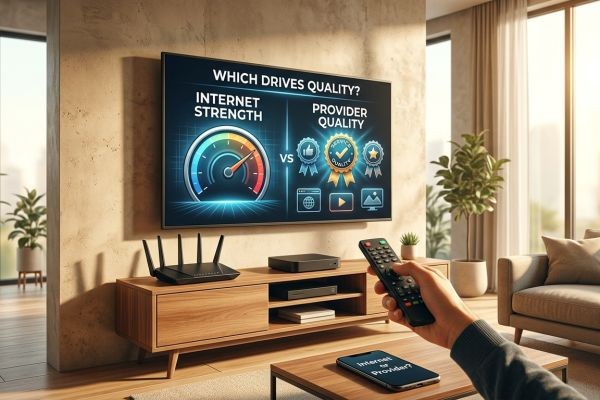
Is my internet connection the problem, or is the IPTV provider responsible?
The answer is that both can affect IPTV quality. In fact, the final viewing experience depends on several connected components working together. Your IPTV provider controls the quality and delivery of its streams, while your internet connection determines how consistently those streams reach your home and device.
This means that having a very fast internet connection does not automatically guarantee excellent IPTV quality. At the same time, even a well-designed IPTV service cannot deliver smooth playback if the user's network is unstable.
For households considering Parivar IPTV, understanding this relationship can help users troubleshoot problems more effectively. An Indian IPTV Set Top Box can provide suitable hardware for IPTV playback, but the device, network, provider, and television all play different roles.
So, which matters more?
The answer depends on where the problem occurs.
Table of Contents
-
Introduction
-
What Actually Determines IPTV Quality?
-
Internet vs. IPTV Provider: Which Matters More?
-
How Your Internet Connection Affects IPTV
-
Why Internet Speed Is Not the Only Factor
-
The Role of Wi-Fi in IPTV Quality
-
How Your Router Can Affect Streaming
-
How Your IPTV Provider Affects Quality
-
Why Some Channels Look Better Than Others
-
What Happens When the Provider Has Server Problems?
-
Can a Fast Internet Connection Fix Poor IPTV Quality?
-
Can a Good IPTV Provider Overcome a Weak Internet Connection?
-
Device and Television Quality Also Matter
-
Ethernet vs. Wi-Fi for IPTV
-
How to Find the Real Cause of Poor IPTV Quality
-
Facts vs. Common IPTV Marketing Claims
-
How Parivar IPTV Users Can Improve Streaming Quality
-
Frequently Asked Questions
-
Conclusion
What Actually Determines IPTV Quality?
IPTV quality is the result of an entire delivery chain.
A simplified version looks like this:
Content Source → IPTV Provider → Internet Network → Router → IPTV Device → Television
Every stage can influence the final experience.
The main factors include:
-
Original video source
-
Video resolution
-
Streaming bitrate
-
Encoding and compression
-
IPTV provider infrastructure
-
Server performance
-
Internet bandwidth
-
Network stability
-
Latency
-
Packet loss
-
Wi-Fi quality
-
Router performance
-
IPTV device capability
-
Television display
This is why blaming only the internet or only the IPTV provider can sometimes lead to the wrong conclusion.
Internet vs. IPTV Provider: Which Matters More?
There is no universal answer.
If your IPTV provider supplies a high-quality stream but your home network is unstable, your viewing experience can still be poor.
On the other hand, if you have excellent broadband but the IPTV source has poor bitrate, heavy compression, or server problems, increasing your internet speed will not magically improve the source video.
A useful way to think about it is:
Provider quality determines what is being delivered.
Internet quality determines how reliably it reaches you.
Both are essential.
How Your Internet Connection Affects IPTV
Your internet connection is responsible for transporting IPTV data from the provider to your home.
If the connection is insufficient or unstable, you may experience:
-
Buffering
-
Freezing
-
Stuttering
-
Temporary disconnections
-
Quality reductions
-
Delayed playback
The amount of bandwidth required depends on the stream's resolution, bitrate, and the number of simultaneous streams.
For example, a household watching one HD stream has different network requirements from a household watching several high-resolution streams while also downloading large files.
Why Internet Speed Is Not the Only Factor
One of the biggest misconceptions about IPTV is that download speed is the only thing that matters.
It is not.
A speed test may show excellent download performance while IPTV still experiences problems because of:
Latency
Latency measures the delay involved in transmitting data between network points.
Jitter
Jitter refers to variations in network delay. Inconsistent delivery can affect real-time streaming.
Packet Loss
If data packets fail to reach the destination, the stream can become interrupted or degraded.
Connection Stability
A connection that repeatedly disconnects and reconnects can create problems even when its maximum speed is high.
Therefore:
High speed ≠ perfect streaming.
A stable and consistent connection is often more important than simply choosing the highest advertised speed.
The Role of Wi-Fi in IPTV Quality
Wi-Fi is often the hidden cause of IPTV problems.
Your broadband connection might be fast, but the IPTV device may be several rooms away from the router.
Walls, distance, wireless interference, network congestion, and router placement can reduce actual performance.
For example:
Router: Excellent internet connection
Living room TV: Weak Wi-Fi signal
The broadband service may be working perfectly while the IPTV device receives an inconsistent wireless connection.
This can result in freezing or buffering.
How to Improve Wi-Fi
Users can try:
-
Moving the router to a central location.
-
Reducing obstacles between router and IPTV device.
-
Using a suitable Wi-Fi frequency.
-
Reducing unnecessary wireless traffic.
-
Updating router firmware.
-
Using Ethernet for stationary devices where practical.
How Your Router Can Affect Streaming
The router connects your home devices to the internet.
An older or overloaded router can become a bottleneck.
Consider a household with:
-
Two Smart TVs
-
Several smartphones
-
Laptops
-
Gaming consoles
-
Security cameras
-
Tablets
-
Streaming devices
All of these devices may compete for network resources.
If the router struggles to manage traffic, IPTV playback may become less stable.
This means that an IPTV problem can sometimes appear to be an internet-speed problem when the real issue is the local network equipment.
How Your IPTV Provider Affects Quality
The IPTV provider controls important aspects of the stream itself.
These may include:
-
Source quality
-
Encoding quality
-
Bitrate
-
Resolution
-
Stream infrastructure
-
Server capacity
-
Content delivery systems
-
Channel sources
If the original source is low quality, no amount of internet speed can transform it into genuine high-quality video.
For example:
Low-quality source + fast internet = low-quality source delivered quickly.
The internet can transport the stream efficiently, but it cannot improve the original video.
Why Some Channels Look Better Than Others
Users may notice that one channel looks sharp while another appears blurry or experiences more interruptions.
This can happen because different channels may use different:
-
Sources
-
Bitrates
-
Encoding settings
-
Resolutions
-
Distribution systems
A provider may offer a broad selection of channels, but that does not mean every channel is produced or delivered using identical technical settings.
Therefore, comparing several channels can be useful when diagnosing quality problems.
What Happens When the Provider Has Server Problems?
Even if your internet connection is excellent, the IPTV provider may experience temporary technical problems.
Potential issues can include:
-
Server overload
-
Maintenance
-
Source-feed interruptions
-
Network infrastructure problems
-
Problems affecting individual channels
A useful clue is whether the problem affects only IPTV.
If websites, video platforms, and other online services work normally while several IPTV channels suddenly freeze, the provider or specific stream may deserve investigation.
Can a Fast Internet Connection Fix Poor IPTV Quality?
Not always.
A faster connection can help when the problem is insufficient bandwidth.
However, it cannot solve every IPTV issue.
For example:
Situation 1: Insufficient Bandwidth
Your connection is too slow for the stream.
Solution: More available bandwidth may help.
Situation 2: Weak Wi-Fi
Your broadband is fast, but the TV receives a poor wireless signal.
Solution: Improve Wi-Fi or use Ethernet.
Situation 3: Provider Server Problem
The IPTV server is struggling.
Solution: Increasing your internet speed is unlikely to solve the provider-side issue.
Situation 4: Poor Source Quality
The original video has low resolution or excessive compression.
Solution: A faster connection cannot improve the source.
This illustrates why identifying the actual cause is essential.
Can a Good IPTV Provider Overcome a Weak Internet Connection?
No.
A provider can supply a high-quality stream, but the user's network still needs to deliver it.
Imagine ordering a high-quality package from a store but having a damaged road between the store and your home.
The quality of the package may be excellent, but delivery can still be unreliable.
The same principle applies to IPTV.
A good IPTV provider and a good home network need to work together.
Device and Television Quality Also Matter
Internet and provider quality are not the only variables.
The playback device can influence the experience.
An older device may struggle with:
-
High-bitrate video
-
4K streams
-
Modern codecs
-
Multiple applications
-
Limited processing resources
An Indian IPTV Set Top Box can provide dedicated hardware for compatible IPTV services.
However, users should understand that the box cannot fix a poor source or unstable internet connection.
Similarly, a 4K television cannot make an HD source native 4K.
The final quality is limited by the weakest important part of the system.
Ethernet vs. Wi-Fi for IPTV
Both can provide good IPTV performance.
Ethernet
A wired connection can offer:
-
Consistent local connectivity
-
Lower susceptibility to wireless interference
-
Stable communication with the router
This can be especially useful for an Indian IPTV Set Top Box positioned near the router.
Wi-Fi
Wi-Fi provides:
-
Convenient installation
-
Flexible device placement
-
No Ethernet cable requirement
A strong modern Wi-Fi connection can be perfectly suitable for IPTV.
Therefore, users should not automatically assume that Ethernet is mandatory.
How to Find the Real Cause of Poor IPTV Quality
A logical troubleshooting process can help determine whether the issue comes from the internet or the provider.
Step 1: Check Multiple Channels
If only one channel has problems, the issue may be specific to that stream.
Step 2: Check Other Internet Services
Open websites or other streaming platforms.
If everything else works normally, the IPTV service may need further investigation.
Step 3: Test the IPTV Device
If possible, try the same service on another compatible device.
Step 4: Test the Network
Run a speed and stability test directly on or near the IPTV device.
Step 5: Test Ethernet
If possible, connect the IPTV device directly to the router.
If the problem disappears, Wi-Fi may have been the cause.
Step 6: Check Other Household Devices
Pause large downloads and other heavy network activities temporarily.
Step 7: Contact the IPTV Provider
If multiple devices show the same channel problem while your internet is working normally, contact the provider with details about the affected channels and times.
Facts vs. Common IPTV Marketing Claims
| Common Claim | Real Fact |
|---|---|
| "Fast internet guarantees perfect IPTV." | Network stability, latency, packet loss, Wi-Fi, and provider infrastructure also matter. |
| "If IPTV buffers, the provider is always responsible." | Home networking problems can also cause buffering. |
| "If your internet is slow, the provider cannot be good." | A good provider can still perform poorly on an inadequate connection. |
| "All IPTV channels have identical quality." | Channels can differ in source, bitrate, resolution, and encoding. |
| "A 4K IPTV device guarantees 4K quality." | The source and television must also support genuine 4K. |
| "Ethernet fixes all IPTV problems." | Ethernet helps with wireless problems but cannot fix provider-side issues. |
| "More internet speed always improves picture quality." | Speed cannot improve a low-quality source stream. |
How Parivar IPTV Users Can Improve Streaming Quality
For users considering Parivar IPTV, the best approach is to evaluate both the service and the home network.
A reliable setup can be viewed as:
Quality IPTV Source
↓
Reliable IPTV Infrastructure
↓
Stable Internet Connection
↓
Good Router
↓
Strong Wi-Fi or Ethernet
↓
Compatible Indian IPTV Set Top Box
↓
Suitable Television
If each component is performing properly, users have a better chance of receiving a stable viewing experience.
Users should also avoid judging IPTV quality solely from a single channel or a single speed-test result.
Instead, compare several channels, devices, and connection methods.
Frequently Asked Questions
Does IPTV quality depend more on internet or provider?
Both matter. The provider determines the quality of the stream being delivered, while the internet connection determines how reliably the stream reaches the viewer.
Can fast internet compensate for a poor IPTV provider?
No. Fast internet cannot improve poor source quality, excessive compression, low bitrate, or provider-side server problems.
Can a good IPTV provider work poorly on slow internet?
Yes. Even a high-quality IPTV service requires a suitable and stable connection.
Does Wi-Fi affect IPTV quality?
Yes. Weak signal strength, interference, congestion, and router placement can affect streaming.
Is Ethernet better than Wi-Fi for IPTV?
Ethernet can provide a more consistent connection, but strong Wi-Fi can also work very well.
Can an Indian IPTV Set Top Box improve IPTV quality?
It can help if your existing playback hardware is limited, but it cannot fix poor internet connectivity or low-quality source streams.
Does Parivar IPTV depend on internet quality?
Yes. Parivar IPTV uses internet-based delivery, so the user's network quality can affect the viewing experience.
Conclusion
Does IPTV quality depend more on your internet or your IPTV provider?
The most accurate answer is both.
Your IPTV provider determines important characteristics of the content you receive, including source quality, resolution, bitrate, encoding, and streaming infrastructure. Your internet connection determines whether that content can reach your home and playback device consistently.
A fast internet package can still produce poor IPTV if the Wi-Fi signal is weak, the router is overloaded, packet loss is occurring, or the provider's stream has problems. Likewise, a high-quality IPTV service cannot perform well if the user's internet connection is unstable or insufficient for the selected stream.
The viewing device matters too. An Indian IPTV Set Top Box can provide capable dedicated hardware for compatible IPTV services, while the television determines the final display capabilities.
For Parivar IPTV users, the best strategy is therefore to evaluate the entire setup rather than blaming one component immediately.
Check multiple channels, compare Wi-Fi with Ethernet, test other online services, examine device performance, and consider whether the problem affects one stream or the entire service.
The key fact is simple:
IPTV quality is a chain, not a single feature. The provider supplies the stream, the internet delivers it, the network carries it through your home, the device processes it, and the television displays it. The final viewing experience depends on all of these components working together.






