
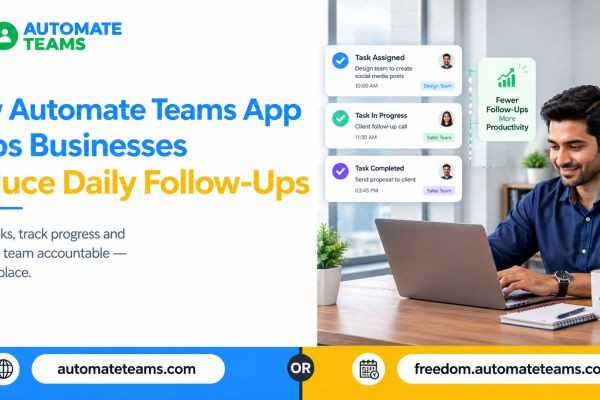
A Automate Teams App helps businesses reduce daily follow-ups by giving every task a clear owner, a deadline and an automatic reminder in one shared workspace. Managers no longer need to ask for updates because progress is visible at any time. The Automate Teams App is built for this exact problem. This article explains why follow-ups pile up, how a Teams App fixes them, and what to look for before you choose one.
Why Daily Follow-Ups Eat Up Your Day
In many growing businesses, work is assigned over calls, WhatsApp messages and quick chats in the corridor. Nobody writes down who owns what, or by when. So the manager has to ask again.
Every “Did you finish that?” message costs time. It also interrupts the employee who was doing the work. Over a week, these small interruptions add up to hours lost on both sides.
The deeper problem is that work depends on memory. When tasks live in people’s heads, owners must chase to find out what is pending. A system removes that dependence.
What Is a Teams App?
A Teams App is software that brings your team’s tasks, conversations and people operations into one place. Instead of switching between chat apps, spreadsheets and paper registers, everyone works from the same workspace. A good Teams App does three things well. It makes ownership clear, it keeps the discussion next to the work, and it shows progress without anyone having to ask.
Automate Teams goes a step further. It combines task management, an internal inbox, attendance, leave, payroll and training. That means one connected workspace for the whole team, built for Indian MSMEs.
How Automate Teams App Turns Conversations Into Tracked Work
Most follow-ups start with a conversation that never became a task. Automate Teams fixes this with a simple three-step flow. You discuss the work, give it an owner, and keep it moving.
Your team can use channels, direct messages and threads to talk about what needs doing. A message can then be turned into a task with a deadline, priority and checklist. The discussion, the owner and the next step stay together.
Here is a real example from the product. A sales team member posts in a dispatch channel that a truck leaves at 4 PM and the invoice copy is needed first. The message becomes a task, assigned to a colleague, due at 3:30 PM. Nobody has to call to confirm who is handling it.
Task Ownership That Ends the “Who Is Doing This?” Question
Clear ownership is the biggest single reason a Teams App cuts follow-ups. When a task has a name and a date attached, there is nothing to clarify.
In Automate Teams, you can assign deadlines, priorities, checklists and sub-tasks. Larger jobs can be broken into smaller steps, each with its own owner. Everyone sees what is theirs.
The task view also gives managers a quick snapshot. You can see what is overdue, what is due today and what was completed this week. Instead of asking five people for updates, you open one screen.
Reminders and Recurring Tasks Replace Manual Chasing
A large share of daily follow-ups are repeat reminders. Someone needs to nudge a colleague about the stock count, the GST invoices or an approval. A Teams App can send those nudges for you.
Automate Teams lets you set automatic WhatsApp or email reminders on any task. Your team gets the prompt where they already spend their time. You are no longer the reminder system.
Recurring tasks work the same way. Daily checks, weekly reports and monthly collections can be scheduled once and repeat automatically. This is one of the simplest ways to reduce daily follow-ups for routine work.
Approvals and Delegation Across Departments
Approvals are another common source of chasing. A vendor payment waits on a manager, and the accounts team keeps asking about it. The delay frustrates everyone. With an approvals view inside the task list, pending decisions are easy to spot. Owners can review what needs their sign-off and act on it. Delegated work across departments and branches stays visible in the same place. This is especially useful for businesses with more than one location. An owner can coordinate branches without a stream of calls. The system shows what is stuck.
Attendance and Payroll Without the Back-and-Forth
Follow-ups are not only about tasks. HR and finance teams spend a lot of time collecting attendance, approving leave and fixing payroll mismatches. A Teams App can reduce that load too.
Automate Teams offers face clock-in with a geo-fence, so staff can punch in only from the right location. Leave requests and attendance regularization go through approval inside the app. Managers approve or reject in a few taps.
Attendance, shifts, holidays and approved leave then feed into payroll. That means you do not rebuild records every month. EPF, ESI and TDS are calculated automatically, which removes a major source of month-end chasing.
AI Features That Reduce Follow-Ups Even Further
Automate Teams also uses AI and automation to handle routine work. You can describe a task through a prompt or voice note, and the app drafts the task, deadline and priority. This saves time for busy managers and field teams. Task activity summaries and reports help you spot delays early. You review progress without chasing updates. Then you can plan the next step with the facts in front of you. The owner’s brief gives a morning snapshot as well. It shows attendance, tasks due today and pending leave requests. You start the day informed instead of asking around.
A Real Result: From 5 Hours to 30 Minutes
The results can be significant. Unique Shell Mould India, an aluminum casting business in Coimbatore, reported that daily follow-ups used to take 4 to 5 hours. After adopting Automate Tasks, their follow-up time dropped to 30 minutes. That is a customer-reported result, so your outcome will depend on how your team works. Still, it shows what happens when ownership, reminders and visibility replace manual chasing. The time saved goes back into real work.
Who Benefits Most From a Teams App
Different roles benefit in different ways. A Teams App is useful because one employee record connects all of them. Roles and permissions control who can see and manage what.
Owners and operations leaders can review pending work, delegate across departments and coordinate branches. HR and finance teams keep attendance, leave approvals, salary runs and pay slips connected. Employees and field staff can check tasks, mark attendance, apply for leave and complete training on mobile.
Automate Teams works on web, Android and iOS. Field teams get the same clarity as the office team. Every plan also includes unlimited workspace members, so you do not pay per user.
How to Choose the Right Teams App
Not every tool will fit your business. Look for features that directly reduce chasing, not just features that look good in a demo. A short checklist helps. First, check that tasks support owners, deadlines, priorities and checklists. Second, confirm that reminders can go out on WhatsApp or email. Third, see whether attendance and payroll connect, so your data is entered once. Finally, check how well it grows with you. Automate Teams connects with Automate CRM, Automate Forms and Automate Chats. A form submission can become a task, and a customer enquiry can reach the right person.
Frequently Asked Questions
- How does a Teams App reduce daily follow-ups?
It gives every task an owner, deadline and automatic reminder. Managers can see progress at any time, so they don’t need to ask for updates. - Is a Teams App the same as task management software?
Task management software focuses on tasks alone. A Teams App like Automate Teams also adds conversations, attendance, payroll and training. - Can employees use Automate Teams on mobile?
Yes. It is available on web, Android and iOS, so field staff can update tasks and manage daily work on the go. - Do I pay per user?
No. Every Automate Teams plan includes unlimited workspace members. Plans differ by active projects, shared storage and how much of the HR, payroll and learning suite is included. - Who is it built for?
It is built for growing Indian MSMEs, from shop floors to owners’ desks. Industries include manufacturing, education, finance, IT services, real estate and e-commerce.
Conclusion: Less Chasing, More Work Done
Daily follow-ups happen when work lacks clear ownership, deadlines and visibility. A Automate Teams App solves this by keeping the conversation, the owner and the next step together. Automatic reminders and recurring tasks then take over the chasing. Automate Teams goes beyond tasks by connecting attendance, payroll and training in the same workspace. If you want to give your team clarity and get your time back, book a demo and see how it fits your workflow. You can also compare plans on the Automate Teams pricing page.






