
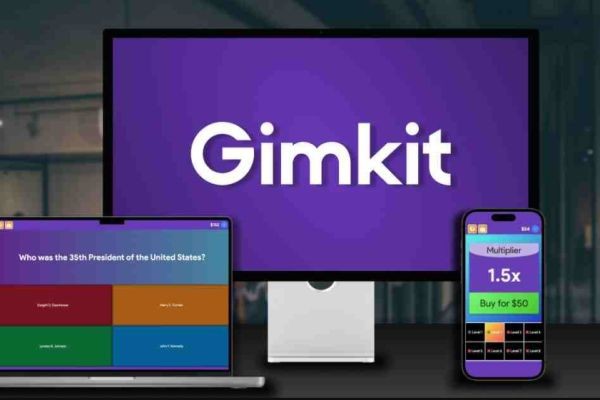
You have signed up for Gimkit, built a few question sets, and watched your students tap away at their screens. But after a few rounds, the novelty fades. Eyes drift to windows. The frantic tapping slows to a bored scroll.
The difference between a forgetable review session and a classroom event your students beg to repeat is not the software itself—it is how you use it. Gimkit is a powerful engine, but engagement requires deliberate design. Here is how to transform a standard quiz into an unforgettable competitive experience.
1. Rotate Game Modes Religiously
The fastest way to kill engagement is playing "Classic Mode" every single Friday. Gimkit offers a deep library of modes that change the fundamental rules of play, but many teachers never leave the default setting.
Try strategic variety. Use "The Floor is Blue" on days when your class has excess energy; students must physically move to safe zones, burning off restlessness while answering questions. Use "Trust No One" during novel studies or history units involving complex characters; the social deduction mechanic forces students to analyze behavior, not just recall facts. Use "Fishtopia" for cumulative review before a final exam; the long-term resource management keeps students invested across multiple class periods.
The rule of thumb: Never use the same mode twice in a row. When students ask, "What mode are we playing today?" before asking for the topic, you have won.
2. Layer External Incentives Onto Internal Rewards
Gimkit provides in-game currency and power-ups, but for some students, fake money is not motivating. Layering a real-world incentive on top of the digital economy creates a second level of buy-in.
Simple classroom integrations: Offer a small piece of candy to the student who finishes with the highest streak. Grant a "homework pass" to the top three earners in a Trust No One session. Create a class leaderboard on your whiteboard that tracks weekly Gimkit champions across different modes.
The psychological hook: Students who do not care about winning might still care about beating their personal best. Display a "Most Improved" category alongside "Highest Score." This celebrates growth and keeps lower-performing students engaged rather than giving up.
3. Turn Question Writing Over to Students (Kit Collab)
The most engaging Gimkit game is one where students recognize their own questions on the screen. Gimkit Pro includes a feature called "Kit Collab" that allows students to submit potential questions to the teacher for approval before the game begins.
How to execute: One week before a unit test, assign each student or pair of students the task of writing three multiple-choice questions based on the material. Review these submissions for accuracy, then compile the best ones into your Kit. When the game starts, students light up seeing their name (or their clever distractor) featured.
Why this works: Writing a good question requires higher-order thinking than answering one. Students must identify what is important, craft plausible wrong answers, and verify facts. The game becomes a showcase of their work, not just teacher-driven drill.
4. Use Teams, Not Just Individuals
Solo Gimkit can feel isolating for shy or slower-processing students. Switching to Team Mode fundamentally changes the social dynamic. Students suddenly have a reason to whisper, point at screens, and explain concepts to each other.
Best practices for teams: Keep teams small—three to four students maximum—so no one hides. Assign roles: one student controls the device, one verifies answers in the textbook, one watches the clock. Rotate these roles between rounds. Use mixed-ability teams intentionally, pairing stronger students with those who need support.
The unexpected benefit: Team mode reveals misconceptions you would never see in solo play. When students argue about an answer before submitting it, you hear the reasoning—or lack thereof—in real time. This is formative assessment gold.
5. Time Your Games Strategically
When you play matters as much as how you play. Dropping a Gimkit session into the middle of a lecture often flops because students lack sufficient prior knowledge. Using it as a pretest frustrates everyone.
Optimal timing windows: Use Gimkit for retrieval practice after you have taught the content but before formal assessment. The ideal slot is the last ten minutes of a Tuesday or Wednesday, when students have had exposure but have not yet memorized to the point of boredom.
The "Two-Punch" method: On Monday, introduce new vocabulary. On Tuesday, play a slow, low-stakes Gimkit mode like Classic with unlimited time. On Wednesday, play a high-stakes mode like Humans vs. Zombies with a timer. On Thursday, review missed questions. This pacing gives the software room to breathe.
6. Customize Visuals and Themes
A generic white background with black text says "worksheet on a screen." Custom imagery says "event." Gimkit Pro allows you to upload your own images, banners, and themes.
Practical customization: If you are reviewing a novel, use the book cover as your Kit background. If you are quizzing on the solar system, use NASA images. For a history review, use period-appropriate maps or political cartoons. These visual cues prime the brain for the content before a single question appears.
Teacher shortcut: You do not need professional design skills. A simple meme related to your topic, placed as the Kit thumbnail, generates curiosity before the game even starts.
7. Debrief with Data, Not Just Winners
The game ends. The screen shows a winner. Most teachers then close the laptop. This is a missed opportunity. The most engaging part of Gimkit can be what happens after the buzzer.
The five-minute debrief: Project the question-by-question data from your Pro dashboard. Show the class which question 80% of students answered correctly—celebrate that mastery. Then show the question only 30% answered correctly. Do not shame. Instead, say, "This question fooled most of us. Let us figure out why together."
Student-led correction: Ask the student who got a difficult question right to explain their thinking. Ask the class to rewrite a confusing question into a clearer version. When students see that Gimkit is a tool for learning, not just ranking, they engage with the process rather than obsessing over the scoreboard.
Common Pitfalls to Avoid
Even great teachers make mistakes that drain engagement. Avoid playing for longer than fifteen minutes; attention curves drop sharply after that. Avoid using Gimkit every single day; scarcity creates anticipation. Avoid penalizing wrong answers harshly; Gimkit already slows progress through lost earning potential—you do not need to add embarrassment.
Also, avoid ignoring the students who struggle. If one student consistently finishes last, privately offer a different goal, such as "Try to answer ten questions correctly in a row, regardless of speed." This preserves dignity while maintaining challenge.
The Bottom Line
Gimkit is not a magic bullet. It is a mirror reflecting your instructional design. When students seem bored, the problem is rarely the platform—it is the lack of variety, ownership, or connection to real stakes. By rotating modes, surrendering question-writing to students, using teams strategically, and debriefing with data, you transform a screen-based game into a living classroom ritual.
The most engaging Gimkit game is not the one with the flashiest graphics or the rarest mode. It is the one where students forget they are reviewing because they are too busy collaborating, competing, and laughing. That amnesia—the loss of awareness that learning is happening—is the only metric that matters.






