
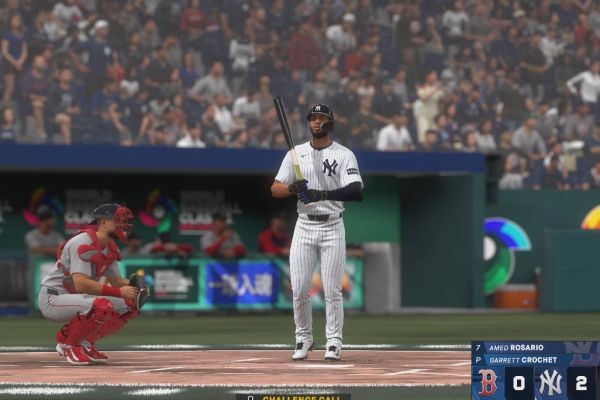
If you’re new to MLB The Show 26, pitching can feel tricky at first. The key is to start simple and gradually work your way up. Using beginner-friendly settings lets you focus on learning pitch types, sequencing, and control without being overwhelmed.
Recommended Beginner Settings
Here’s a setup designed for new players, emphasizing clarity and consistency:
- Pitching Interface: Classic or Pulse
Classic relies on your pitcher’s ratings, so it’s easy to execute strikes. Pulse adds a simple timing element but avoids the complexity of full-stick movement, making it perfect for learning. - Pitching View: Strike Zone
This view zooms in on the pitcher and the batter, showing pitch paths clearly. It helps you see how each pitch moves and improves your understanding of hitter tendencies. - Pitching Ball Marker: Pitch Trail
Turn this on to see a visible trace of the ball’s path. It makes it easier to anticipate where the pitch will land. - Fixed Pitch Location: On
Keeps the aiming stick locked where you place it, preventing it from snapping back to center. This helps with precision as you learn control. - Difficulty: Beginner or Dynamic
Beginner gives the most leeway while learning. Dynamic automatically adjusts as you improve, offering a smooth progression.
Advanced Options (When You’re Ready)
Once you feel comfortable with the basics, consider these features:
- Pinpoint Pitching:
The most precise pitching interface. It’s harder to master but essential if you want to compete online. It gives full control over pitch location and accuracy. - Bear Down Pitching:
A 2026 addition that lets you spend charges to shrink your Perfect Accuracy Region temporarily, boosting the chance of a strike on high-leverage pitches.
Essential Beginner Strategies
Even with beginner settings, smart strategies make a huge difference:
- Watch the Energy Meter:
Pitchers lose velocity and accuracy as they tire. Pay attention around 80 pitches or when the meter turns yellow. - Mix Locations:
Avoid leaving fastballs in the middle of the strike zone. Aim for corners, tunnel pitches, and throw chase pitches out of the zone when ahead in the count. - Use Sequential Variety:
Don’t throw the same pitch in the same spot repeatedly. For example, pair a high fastball with a low changeup to disrupt timing. - Speed Up Offline Play:
Turn on Quick CPU Pitching and Fast Play to shorten games. This helps you focus on learning without long waits between pitches.
Beginner pitching in MLB The Show 26 is all about mastering the basics first. Start with Classic or Pulse, use clear visual aids, and focus on smart pitch sequences. As your skills grow, transition to Pinpoint and Bear Down to unlock higher-level precision and control. Stick to these fundamentals, and you’ll be striking out batters in no time.






