
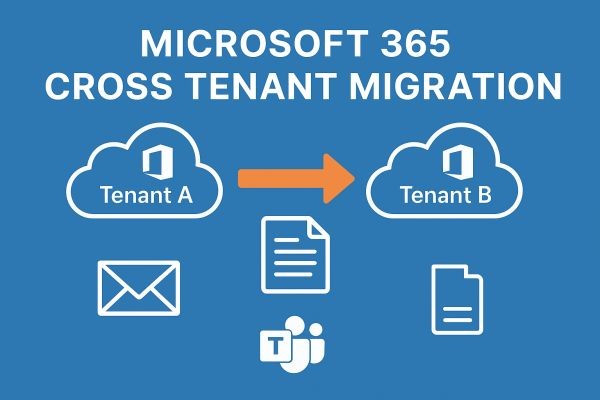
In today’s cloud-driven business landscape, organizations depend on Microsoft 365 for communication, collaboration, and productivity. When companies merge, restructure, or shift operations, they often need to perform Office 365 tenant to tenant migration. This includes transferring emails, calendars, OneDrive content, SharePoint sites, Teams conversations, and user settings from one tenant to another.
While the need for migration is common, the process is far from simple. Manual methods require deep technical expertise, PowerShell commands, hours of configuration, and careful coordination. Any mistake can cause data loss, unexpected downtime, or permission errors. To eliminate these risks, organizations rely on specialized services like MailsDaddy Cross-Tenant Migration.
Common Challenges in Office 365 Cross-Tenant Migration
Businesses attempting manual migration usually run into several roadblocks:
-
PowerShell dependency makes the process complex and time-consuming.
-
Inadequate support for Teams migration using native tools.
-
Risk of incomplete data transfer (missing permissions, broken links).
-
Email flow interruptions during DNS updates.
-
User mapping and license assignment issues.
-
Lack of real-time monitoring, making errors hard to trace.
These challenges show why relying solely on manual methods is not ideal for production environments.
Office 365 Tenant to Tenant Migration with MailsDaddy
MailsDaddy offers a fully managed, secure, and automated migration service designed to handle all aspects of cross-tenant migration. Whether you are migrating 50 users or 50,000, the service ensures accuracy, speed, and minimal impact on end-users.
Key Features and How It Works
1. Seamless Exchange Online Mailbox Migration
MailsDaddy transfers all mailbox items—emails, folders, attachments, calendars, tasks, and archives—while preserving folder structure and metadata.
2. OneDrive & SharePoint Data Migration
User files, document libraries, permissions, sharing links, and metadata are moved without breaking accessibility.
3. Complete Teams Migration
Moves channels, group memberships, chat history, tabs, and file structures, ensuring collaboration continues without disruption.
4. Incremental Synchronization
Only newly received or updated items are synced after initial migration, reducing time and bandwidth.
5. High-Level Security
The service uses OAuth 2.0 secure authentication, ensuring full compliance with Microsoft’s security standards.
6. Real-Time Monitoring & Reporting
Admins can track progress, view reports, and validate migrated data with complete transparency.
Benefits of Choosing MailsDaddy
-
Faster migrations with highly optimized automation.
-
Zero downtime for employees during the migration.
-
100% data integrity, ensuring no missing items.
-
Enterprise-grade security throughout the entire process.
-
Scalable performance suitable for small teams or multinational organizations.
-
Expert assistance from planning to post-migration validation.
This makes MailsDaddy an ideal solution for enterprises undergoing tenant consolidation, business mergers, or infrastructure modernization.
Manual vs. Automated Migration – Quick Comparison
| Approach | Manual (PowerShell) | Automated (MailsDaddy) |
|---|---|---|
| Complexity | Very high | Extremely low |
| Error Risk | High | Minimal |
| Downtime | Likely | Zero |
| Teams Migration | Not fully supported | Fully supported |
| Speed | Slow | Fast & optimized |
| Best For | Small test cases | Real business environments |
For those exploring manual methods, MailsDaddy also offers a helpful video tutorial.
Free YouTube Guide for Tenant-to-Tenant Migration:
Conclusion
Microsoft 365 tenant to tenant migration is a critical business operation that requires precision, planning, and the right tools. While manual processes may work for small setups, enterprises need a comprehensive and secure service to avoid risk.
With MailsDaddy Cross-Tenant Migration Service, businesses get a fast, reliable, and expertly managed solution—ensuring a smooth transition with no productivity loss.






