
SaaS Integration Strategies for Complex Tech Ecosystems: A Practical Guide to Taming the Chaos
In the modern technology landscape, complexity is the only constant. The average mid-sized company now uses over 250 different SaaS applications. For enterprise organizations, that number skyrockets to nearly 1,300. What started as a simple stack of essential tools—CRM, email, Slack, accounting—has evolved into a sprawling, interconnected web of best-of-breed solutions.
This explosion of SaaS adoption has created what industry experts call the "SaaS Sprawl." It’s a complex tech ecosystem where data lives in dozens of silos, workflows are fragmented, and IT teams spend more time managing integrations than driving innovation.
For organizations operating in this reality, the difference between chaos and efficiency lies in one critical capability: SaaS integration strategy.
A well-executed integration strategy doesn't just connect apps; it transforms a fragmented collection of tools into a cohesive, intelligent operating system for your business. This blog will explore the challenges of complex SaaS ecosystems, the architecture patterns that work, and actionable strategies to build integrations that scale with your organization.
Part 1: Understanding the Complexity Problem
Before diving into solutions, it's essential to understand why SaaS ecosystems become so complex in the first place.
The Best-of-Breed Trade-Off
Gone are the days of the monolithic ERP system that promised to do everything (and delivered mediocrity in all areas). Modern organizations choose best-of-breed solutions—the best CRM (Salesforce), the best marketing automation (HubSpot), the best customer support (Zendesk), and the best project management (Asana). This approach delivers superior functionality but creates an integration burden.
Each new tool adds:
- Data silos: Customer information scattered across six different platforms
- Workflow friction: Employees manually copying and pasting data between apps
- Maintenance overhead: Managing API changes, authentication, and failure points
The Connectivity Explosion
The complexity isn't linear; it's exponential. With 10 SaaS applications, the potential integrations are manageable. With 100 applications, the number of potential point-to-point connections grows to nearly 5,000. This is why a strategic approach is non-negotiable.
The Hidden Costs of Poor Integration
When organizations lack an integration strategy, they incur significant hidden costs:
- Engineering drain: Developers spend 30-40% of their time building and maintaining custom integrations instead of building core products
- Data inaccuracy: Manual data entry leads to errors that cascade across systems, eroding trust in reporting
- Operational latency: Delays in data sync mean decisions are made on stale information
- Security risks: Unmanaged integrations create unmonitored data flows and potential breach points
Part 2: The Integration Architecture Spectrum
To build an effective integration strategy, you must first understand the architectural approaches available. Each has its place, but the right choice depends on your scale, use case, and technical resources.
1. Point-to-Point Integrations (Direct API Connections)
This is the simplest approach: a direct connection between two applications using APIs.
When to use:
- A single, critical integration (e.g., Salesforce to your billing system)
- Limited scale (under 10 integrations)
- When you need low latency and high reliability for a specific workflow
Pros:
- Full control over the integration logic
- Minimal latency
- No third-party dependency
Cons:
- Doesn't scale beyond a handful of connections
- Each integration requires custom code and maintenance
- Creates a "spaghetti architecture" that becomes unmanageable
2. iPaaS (Integration Platform as a Service)
iPaaS solutions like Workato, Tray.io, Zapier (for simpler needs), MuleSoft, and Boomi provide a centralized platform to build, deploy, and manage integrations.
When to use:
- You have dozens or hundreds of SaaS applications
- You need to empower non-technical teams (revops, marketing ops) to build integrations
- You require rapid iteration and deployment
Pros:
- Dramatically reduces integration development time (days instead of weeks)
- Provides monitoring, error handling, and retry logic out of the box
- Democratizes integration building across business teams
- Centralizes governance and visibility
Cons:
- Subscription costs increase with volume and complexity
- Some platforms have rate limits or API constraints
- Vendor lock-in consideration
3. Embedded iPaaS (For Product Companies)
If your company builds a SaaS product that needs to integrate with other tools, embedded iPaaS solutions like Merge, Apideck, or Paragon allow you to offer native integrations to your customers without building each one from scratch.
When to use:
- Your product needs to connect to customers' CRM, HRIS, or accounting systems
- You want to offer "100+ integrations" as a feature without maintaining 100+ codebases
4. Data Warehousing and Reverse ETL
For organizations focused on analytics and operational intelligence, a data warehouse (Snowflake, BigQuery, Redshift) combined with Reverse ETL tools (Hightouch, Census) creates a powerful integration pattern.
The pattern:
- ELT: Extract data from all SaaS apps into a central warehouse
- Transform: Clean, model, and join data into unified views
- Reverse ETL: Sync enriched data back to operational SaaS tools
When to use:
- You need a single source of truth for reporting and analytics
- You want to operationalize data (e.g., sending customer health scores from your warehouse back to Salesforce)
- You have a mature data team
5. API Gateways and Unified APIs
For organizations managing integrations at scale, an API gateway acts as a single entry point for all API traffic, providing authentication, rate limiting, and monitoring.
Unified APIs (like Apollo GraphQL Federation) take this further by providing a single GraphQL endpoint that aggregates data from multiple underlying SaaS APIs.
Part 3: Core Principles of a Successful Integration Strategy
Technology choices matter, but they're only half the equation. A successful SaaS integration strategy is built on foundational principles that guide decision-making and ensure long-term maintainability.
Principle 1: Embrace a Hub-and-Spoke Architecture
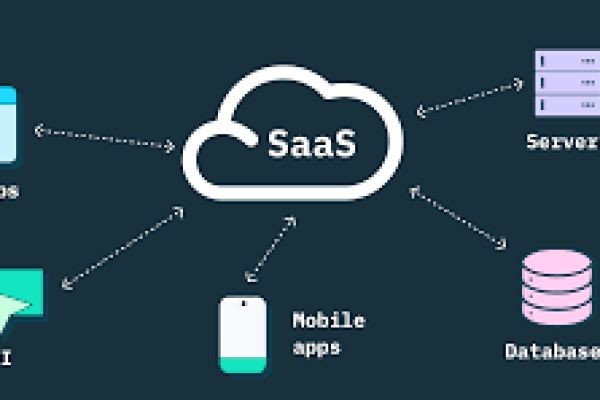
The most scalable integration architecture is hub-and-spoke, where a central integration platform (the hub) connects to all SaaS applications (the spokes). This replaces the chaotic web of point-to-point connections.
Benefits:
- Single place to manage authentication, monitoring, and error handling
- New applications connect to the hub once, instantly integrating with everything
- Business logic lives in one place rather than being duplicated across integrations
Principle 2: Standardize on REST and Webhooks
While many SaaS apps offer proprietary APIs, standardizing on REST APIs with webhook support ensures predictability. Webhooks enable real-time event-driven integrations, where actions in one app trigger immediate responses in another, eliminating the need for inefficient polling.
Principle 3: Implement Idempotency
One of the biggest challenges in integration is handling duplicate events. If a webhook fires twice due to a network hiccup, your integration should process it exactly once. Idempotency keys ensure that the same event, even if received multiple times, only triggers one action.
Principle 4: Separate Data Synchronization from Orchestration
A common mistake is treating every integration as a simple data sync. In reality, complex ecosystems require two distinct layers:
- Data Synchronization Layer: Ensures data consistency across systems (e.g., contacts in Salesforce match contacts in HubSpot). This is batch-oriented and eventually consistent.
- Workflow Orchestration Layer: Enables multi-step, cross-system business processes (e.g., when a deal closes in Salesforce, create a project in Asana, send a welcome email in Customer.io, and provision access in Okta). This is event-driven and often real-time.
Both layers are necessary. Build them separately for clarity and maintainability.
Principle 5: Design for Failure
Integrations will fail. APIs change. Rate limits are hit. Network connections drop. A robust integration strategy assumes failure and builds resilience:
- Retry logic with exponential backoff: Don't hammer a failing API; wait progressively longer between retries
- Dead letter queues: Store failed events for manual inspection and replay
- Monitoring and alerting: Know when an integration fails before your users do
- Idempotent processing: Safe to retry without duplicating actions
Part 4: Real-World Integration Patterns
Understanding common integration patterns helps you recognize which approach fits your specific use case.
Pattern 1: Bi-Directional Sync
Use case: Keeping customer data consistent between Salesforce (CRM) and HubSpot (Marketing).
Challenge: Both systems are sources of truth for different teams. Sales updates contact info in Salesforce; Marketing updates it in HubSpot. Changes must flow both ways without creating conflicts.
Solution:
- Use an iPaaS to manage the sync
- Establish a "system of record" hierarchy (e.g., Salesforce wins for account data; HubSpot wins for engagement data)
- Implement field-level mapping and conflict resolution rules
- Use timestamps to determine the most recent update
Pattern 2: Event-Driven Orchestration
Use case: Automating the customer onboarding journey.
Workflow:
- Event: New customer signs contract in DocuSign
- Trigger: Webhook sends event to integration platform
- Action 1: Create customer record in Salesforce
- Action 2: Create project in Asana for implementation team
- Action 3: Send provisioning email via customer.io
- Action 4: Create user account in your product via API
- Condition: Wait for implementation project completion
- Action 5: Send welcome email and update Salesforce stage
Key considerations:
- Use a workflow orchestration tool (Workato, Tray.io, Zapier) for multi-step logic
- Implement error handling at each step
- Log all events for auditability
Pattern 3: Data Warehouse as the Source of Truth
Use case: Creating a unified customer 360 view for analytics and operations.
Architecture:
- All SaaS apps (Salesforce, Zendesk, Stripe, Amplitude) sync data to Snowflake via Fivetran or Airbyte
- dbt (data build tool) transforms raw data into modeled tables: dim_customer, fct_revenue, fct_support_tickets
- Reverse ETL tools sync enriched customer segments back to operational tools
- BI tools (Looker, Tableau) provide analytics on the unified dataset
Why this works:
- Analytics no longer require joining data from disparate sources
- Customer health scores computed in SQL are available in Salesforce for sales reps
- Single source of truth eliminates "whose data is right" debates
Pattern 4: API Composition
Use case: Building an internal dashboard that shows data from multiple SaaS apps.
Challenge: The dashboard needs to display data from Salesforce, Jira, Zendesk, and Stripe—each with different APIs and authentication.
Solution:
- Use Apollo Federation or a unified API layer to create a single GraphQL endpoint
- The GraphQL gateway resolves fields by fetching from underlying APIs
- Frontend makes one request to the gateway instead of four separate API calls
Part 5: Governance, Security, and Compliance
As your integration ecosystem grows, governance becomes critical. Unmanaged integrations create security vulnerabilities, compliance risks, and operational chaos.
API Key Management
Never hardcode API keys. Use a secrets manager (AWS Secrets Manager, HashiCorp Vault) or your iPaaS's built-in credential storage. Regularly rotate keys and audit who has access to which integrations.
Access Control and Least Privilege
When creating integration users in SaaS applications, it is important to follow the principle of least privilege to maintain security and control. By applying SaaS SEO strategies alongside technical best practices, businesses can not only improve visibility but also communicate trust and reliability through well-structured content.
A sync that only needs to read contacts should never be given delete permissions, as unnecessary access increases risk. It is also recommended to use service accounts instead of individual user accounts, ensuring that integrations remain stable and do not break when employees leave or roles change within the organization.
Audit Trails
Every integration should maintain an audit log of:
- What action was taken
- When it was taken
- Which system initiated it
- What data was transmitted
This is essential for troubleshooting and compliance (SOC2, HIPAA, GDPR).
Data Residency and Privacy
If you operate globally, ensure integrations respect data residency requirements. Some data cannot leave certain geographic regions. Your integration platform should support regional deployment options.
Part 6: Build vs. Buy—The Strategic Decision
One of the most common questions organizations face is whether to build integrations in-house or purchase an integration platform.
Factor |
Build (Custom Code) |
Buy (iPaaS) |
|
Speed |
Weeks to months per integration |
Hours to days per integration |
|
Cost |
High engineering salary costs; scales linearly |
Predictable subscription cost; scales sub-linearly |
|
Control |
Full control over logic and performance |
Limited to platform capabilities |
|
Maintenance |
Engineering team owns all API changes |
Platform handles API updates |
|
Skills Required |
Developers proficient in each SaaS API |
Business technologists; some light coding |
|
Use Case |
Core competitive advantage integrations |
Commodity integrations; high volume |
The Hybrid Approach:
Most mature organizations use a hybrid model:
- iPaaS for standard integrations: Salesforce to HubSpot, Zendesk to Slack, etc.
- Custom code for unique integrations: Proprietary systems, high-volume real-time data streams, or integrations that provide competitive advantage
- Embedded iPaaS for product integrations: If you're a SaaS company offering integrations to customers
Part 7: Operational Excellence—Managing Integrations at Scale
Building integrations is one thing; managing them over time is another. Here's how to maintain operational excellence.
Create an Integration Registry
Maintain a central catalog of all integrations:
- Source and destination applications
- Business purpose (which process does this support?)
- Owner (who is responsible?)
- Criticality (tier 1, 2, or 3)
- API versions and last updated date
This registry becomes essential for incident response and technical audits.
Implement Health Monitoring
Every integration should have:
- Latency monitoring: How long does data take to flow through?
- Error rate monitoring: What percentage of events fail?
- Volume monitoring: Is throughput consistent with expectations?
- Alerting: Notify the owner before errors become business-impacting
Establish an API Change Management Process
SaaS APIs change. Deprecations happen. Your integration strategy must include:
- Subscribing to vendor API changelogs
- Scheduled quarterly reviews of API versions
- Testing environment for validating integration changes before production
Build a Center of Excellence (CoE)
For larger organizations, a centralized integration CoE provides:
- Standards and best practices
- Shared reusable components
- Governance and approval processes
- Training for business teams
This prevents shadow integration sprawl and ensures consistency.
Part 8: Future-Proofing Your Integration Strategy
The SaaS landscape continues to evolve. Here are trends to consider as you build your integration strategy for the long term.
Embedded iPaaS for Product-Led Growth
If you're a SaaS company, offering integrations is no longer optional. Buyers expect your product to connect to their existing stack. Embedded iPaaS platforms reduce the time to launch integrations from months to weeks, making "integrations" a feature you can deliver rapidly.
AI-Powered Integrations
The next generation of integration platforms is incorporating AI to:
- Automatically suggest mappings based on field names and data patterns
- Generate integration workflows from natural language descriptions
- Predict and prevent failures before they occur
Low-Code/No-Code Democratization
Business teams (RevOps, Marketing Ops, Sales Ops) are increasingly empowered to build and manage integrations without engineering support. Your strategy should enable this while maintaining governance.
The Shift Toward Composable Architecture
The composable enterprise, where business capabilities are assembled from best-of-breed components, depends entirely on robust integration. Companies that master integration will have a significant competitive advantage in agility and innovation.
Conclusion: From Sprawl to Strategy
Complex tech ecosystems are not going away. In fact, they will only become more complex as organizations adopt specialized AI tools, industry-specific SaaS solutions, and edge applications. The question is not whether you will have a complex ecosystem, but whether you will manage it intentionally or be consumed by its chaos.
FAQs
1. What's the Biggest Mistake Companies Make When Integrating SaaS?
Relying on point-to-point connections. As you scale, this creates an unmanageable "spaghetti architecture." Instead, use a hub-and-spoke model with an iPaaS like Workato or MuleSoft to centralize integrations and maintain visibility.
2. Should We Build Integrations In-House or Buy an iPaaS?
Buy unless integration is your core product. iPaaS reduces development from weeks to hours and handles ongoing API maintenance. Building creates hidden costs as engineering teams constantly chase vendor API updates.
3. How Do We Handle Real-Time vs. Batch Integrations?
Use webhooks for real-time event triggers. Use batch syncs via iPaaS for non-urgent data alignment. Separate data synchronization from workflow orchestration to keep each layer clean and maintainable.
4. What's the Best Way to Secure Our Integrations?
Never hardcode API keys. Use a secrets manager, enforce least-privilege access with service accounts, rotate credentials regularly, and maintain audit logs for all integration activity.
5. How Do We Manage Integration Failures Gracefully?
Implement exponential backoff retries, use dead letter queues for failed events, ensure idempotency so duplicate events don't double-process, and set up proactive monitoring alerts before users notice issues.
6. How Many Integrations Is "Too Many"?
There's no magic number—but when you can't answer "what connects to what" without a diagram, you've lost control. Maintain an integration registry, assign owners, and monitor health proactively.






