
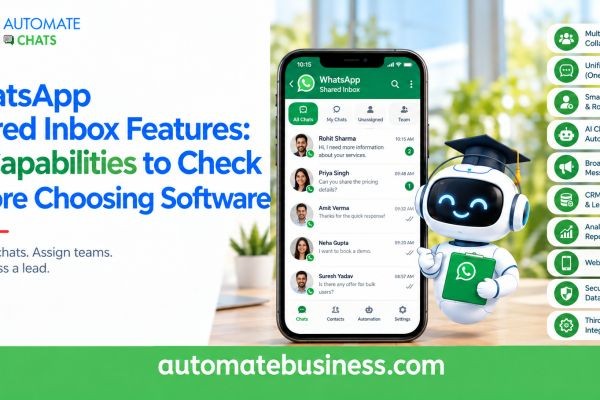
The best WhatsApp shared inbox software lets your whole team reply from one WhatsApp Business API number, with clear ownership of every chat. It should also include automation, chatbots, campaigns, analytics and integrations. Without these, your team keeps juggling phones, spreadsheets and missed messages.
Automate Chats WhatsApp API Marketing brings all of these into one workspace built for growing businesses. This guide covers 10 WhatsApp shared inbox features to check before you choose software. It also shows how to judge each one in a demo.
Why the Right WhatsApp Shared Inbox Matters
Customers now expect quick answers on WhatsApp. When one phone or one person handles every chat, replies slow down and leads go cold. A WhatsApp team inbox fixes this by putting sales, support and follow-up chats in one place. Everyone sees the same conversations, and nobody answers the same customer twice. Still, not every WhatsApp shared inbox is equal. Some tools only show messages in a shared screen. Others cover the full journey from first enquiry to repeat purchase.
Use the ten capabilities below as your checklist.
- Core Inbox Capabilities
These four features decide whether your team can actually work together on WhatsApp.
1. A true shared inbox on the WhatsApp Business API. Your whole team should reply from one business number. Look for a dashboard that shows open chats, waiting chats and unassigned chats at a glance.
2. Chat assignment and ownership. Every conversation needs a clear owner. Check whether you can assign chats manually or automatically, such as round-robin routing to the next available person.
3. Internal notes and real-time collaboration. Agents often need to ask a colleague before replying. Internal notes let them do that inside the chat, without leaving the conversation or messaging the customer by mistake.
4. Full customer history and contact management. A good inbox keeps every past message, tag and detail in one place. Look for contact groups, tags and owners, so any agent can pick up a chat with full context.
When you test these in a demo, ask one simple question. If an agent is absent tomorrow, can another person continue the conversation without asking the customer to repeat themselves? - Marketing and Automation Capabilities
Once the inbox works, you need tools that save your team time and bring in more business.
5. Broadcast campaigns with approved templates. WhatsApp marketing runs on approved message templates. Your software should let you pick an audience, personalize each message and send in bulk. It should also show delivered, read and reply numbers for every campaign.
6. WhatsApp automation. Look for automated replies, scheduled follow-ups, reminders and after-hours responses. For example, a new website lead can get a welcome message at once, a product guide after a day and a check-in after three days.
7. No-code WhatsApp chatbots. Your team should be able to build guided conversations without a developer. A good chatbot asks qualifying questions, saves the answers, routes the chat by response and hands hot leads to sales.
These features matter because most WhatsApp work is repetitive. Order updates, appointment reminders, sales follow-ups and FAQs should not eat up your team’s day.
Check how easily non-technical staff can edit a flow. If every change needs a developer, the chatbot will quickly go out of date. - AI and Analytics Capabilities
Smart tools help you reply faster and show you what is working.
8. AI assistants that use your business information. An AI assistant should answer common questions from the information you provide, such as your product catalogue or return policy. It must also hand the chat to a human when needed, for example when a refund is above a set amount. This handover matters more than the AI itself. A bot that guesses is a risk, while a bot that knows when to stop protects your brand.
9. Analytics for conversations, campaigns and teams. You should see conversation volume, first reply time, resolution rate and team workload without building reports in spreadsheets. Campaign, chatbot and AI activity should also be visible in the same place.
Without analytics, you cannot tell whether your team is improving. With them, you can spot slow replies, uneven workloads and campaigns that deserve a repeat. - Integration and Security Capability
Your inbox should not sit apart from the rest of your business.
10. APIs, webhooks and CRM integration. Customer requests should flow into the right next step. Check for webhooks and REST APIs, plus a native connection to your CRM so a new chat can create or update a lead.
Security belongs here too. Ask about role-based access, audit logs and who can see which contacts. Also confirm that the provider is an official Meta Business Partner, since your customer data is at stake. Finally, ask how migration works. Bulk contact upload and onboarding help should get you live in days, not weeks.
How Automate Chats Is Different
Many tools solve one piece of the puzzle. Some give you a basic shared screen. Others focus only on bulk messaging or only on bots.
Automate Chats takes a different approach. It puts the team inbox, broadcast campaigns, WhatsApp automation, no-code chatbots, AI assistants, contact management, analytics, APIs and webhooks in one shared workspace. Your team does not need to switch between separate tools.
It is also built for MSMEs. The platform is designed for small teams with limited budgets and no dedicated IT staff. Setup is simple, and teams can start with a 7-day free trial.
There is more. Automate Chats is part of the Automate Business suite, which also includes CRM, tasks, forms and attendance. That means a WhatsApp lead can move into your sales pipeline without manual copying.
Its AI assistants answer from your own information and bring in your team when needed. Chats can be assigned by round-robin, so new enquiries reach a person quickly. And as a Meta Business Partner product, it works on the official WhatsApp Business API.
Quick Checklist Before You Decide
Before you sign up for any WhatsApp shared inbox software, ask these questions. Can multiple agents work from one number, with clear chat ownership? Can you run template-based campaigns and see read and reply results? Can non-technical staff build chatbots and automations?
Does the AI hand over to humans? Do analytics show first reply time and team load? Can the tool connect to your CRM and other systems through APIs? If the answer to most of these is no, keep looking. If the answer is yes, book a demo and test your own real workflow.
Frequently Asked Questions
- What is a WhatsApp shared inbox?
A WhatsApp shared inbox is a single workspace where many team members manage customer chats from one WhatsApp Business number. It adds chat assignment, notes, history and reporting. This stops messages from getting lost on personal phones. - What features should WhatsApp shared inbox software have?
It should have a shared team inbox, chat assignment, internal notes, contact management and broadcast campaigns. It should also offer automation, no-code chatbots, AI assistants, analytics and APIs. These ten capabilities cover the full customer journey. - Do I need the WhatsApp Business API for a shared inbox?
Yes, for a true multi-agent setup. The WhatsApp Business API lets many people use one number and supports campaigns, templates and automation. The regular WhatsApp Business app is limited for larger teams. - Is Automate Chats suitable for small businesses?
Yes. Automate Chats is built for growing businesses and MSMEs, with a simple setup and a 7-day free trial. It works for sales, support, marketing and operations teams.
Final Thoughts
Choosing a WhatsApp shared inbox is about more than a shared screen. The right software helps your team reply faster, follow up on time and learn from every conversation. Use the ten capabilities above as your buying guide. Then see them working together in a live demo. Ready to try it? Start the 7-day free trial of Automate Chats Whats App API Marketing software or book a demo at automatechats.com, and see how one shared inbox can run your WhatsApp.






