
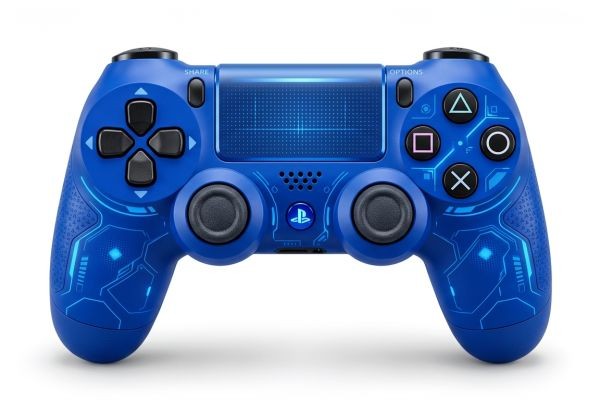
Most gamers replace controllers too late or too early. They replace them too late because they tolerate drift for months before confirming it is actually a hardware problem. They replace them too early because they assume a symptom means the whole controller is broken when one small component is the only thing wrong.
A free online gamepad tester solves both problems. It reads raw input directly from your controller and shows you exactly what is happening inside your hardware, in real time, with nothing between you and the data. You stop guessing and start knowing.
This guide walks you through everything a free online gamepad tester reveals about your PS5 DualSense, PS4 DualShock 4, PS3 DualShock 3, Xbox controller, and Nintendo Switch Pro Controller.
WHY RAW DATA MATTERS MORE THAN IN-GAME TESTING
Games make unreliable diagnostic tools. Every game applies at least one layer of processing to your controller input before anything happens on screen.
Most games apply an inner deadzone that treats small axis values near stick center as zero. A controller drifting at 0.04 on one axis shows no visible effect in a game with a 0.10 deadzone. The hardware is broken. The game hides it.
Games also run at a fixed frame rate, which means they only sample controller input a limited number of times per second. A button that physically fails 10 percent of the time may never miss a registration during the short window the game checks for it.
A free online gamepad tester reads input at the polling rate of the controller itself, typically 125 times per second over USB. Every number you see on screen is the raw output of your hardware with nothing removed, adjusted, or delayed. That directness makes accurate diagnosis possible in seconds.
WHAT THE TOOL READS FROM YOUR CONTROLLER
Pro Gamepad Tester uses the Web Gamepad API, a standard built into every modern browser including Chrome, Edge, Firefox, and Opera. The API creates a direct data path from your controller through your operating system to the browser.
The tool displays four types of data simultaneously for every connected controller.
Thumbstick Axis Values
Both thumbsticks report two axes: X for horizontal movement and Y for vertical movement. All four values display as floating-point numbers between 1.0 and 1.0. The neutral center position reads as 0.00 on a healthy stick. Any persistent non-zero value when you release both thumbsticks completely is the first measurable sign of stick drift.
Analog Trigger Values
L2 and R2 on PlayStation controllers, LT and RT on Xbox, and ZL and ZR on Nintendo Switch all report analog values from 0.0 at full rest to 1.0 at full press. The tester displays a live number and a visual bar for each trigger. A healthy trigger shows a smooth, unbroken rise and fall. Any irregularity in that curve points to wear on the trigger mechanism.
Button States
Every button on the controller lights up the moment you press it. The display updates with no perceptible delay. Any button that does not register on press has a confirmed hardware contact problem, independent of any game, cable, or software variable.
Controller Information
The tester shows the controller name as the browser reports it, the total number of detected buttons, and the total number of detected axes. This data confirms the controller is operating in the correct input mode and helps identify unexpected mapping differences between browsers or operating systems.
HOW TO CONNECT EACH CONTROLLER PLATFORM
PS5 DualSense
Connect via a USB-C cable for the most reliable results. Windows, macOS, and Linux recognize the DualSense immediately without any driver installation. For wireless use, hold the PS button and Create button together until the light bar flashes rapidly, then pair through your Bluetooth settings.
PS4 DualShock 4
Connect via a Micro USB cable. Confirm the cable carries data, as some Micro USB cables only carry power. Windows and macOS detect the DualShock 4 without additional software. For Bluetooth, hold the PS button and Share button until the light bar flashes, then pair through system Bluetooth settings.
PS3 DualShock 3
Windows requires a driver because the DualShock 3 uses an older proprietary protocol. DsHidMini is the most widely used current option. Install the driver, connect via Micro USB, and confirm Device Manager recognizes the controller before opening the browser tester. macOS and most Linux distributions support the DualShock 3 natively without any extra driver.
Xbox One and Xbox Series X and S
Connect Xbox One via Micro USB and Xbox Series via USB-C. Windows detects both through the built-in XInput driver automatically. For wireless, hold the pairing button on top of the controller until the Xbox logo flashes, then pair through Bluetooth settings.
Nintendo Switch Pro Controller
Connect via USB-C cable. Windows, macOS, and Linux all recognize it as a standard HID gamepad without additional drivers. Bluetooth pairing is available, but USB provides more consistent detection across all browsers.
Activating the Tester
Open progamepadtester.com in your browser. After the page loads, press any button on your controller once. Browsers require this initial input gesture before exposing gamepad data. Every input goes live immediately after that first press.
THE STICK DRIFT TEST: STEP BY STEP
Stick drift is the most common hardware failure across all five platforms. The test takes under 30 seconds.
Step One: Set the controller down on a flat surface.
Step Two: Remove all contact with every input,t including your palms resting on the grips.
Step Three: Watch the four thumbstick axis values for 15 full seconds without touching anything.
Reading the Results
Values between 0.00 and 0.02 on all four axes fall within normal manufacturing tolerance. This range accounts for potentiometer production variance and low-level electrical noise. No action needed.
Values between 0.03 and 0.04 on any axis indicate early potentiometer wear. Games typically hide this through deadzone filtering. Apply electronic contact cleaner to the base of the affected thumbstick and retest in 30 days to track whether the value increases.
Values between 0.05 and 0.09 on any axis indicate active drift that competitive games with tight deadzones will register as unintended movement. Contact cleaner is worth one attempt. If values do not return below 0.04, thumbstick module replacement is the next step.
Values of 0.10 and above indicate significant drift visible in most games. Thumbstick module replacement is necessary. For PS5 and PS4 controllers, Hall effect replacement modules that use magnetic sensing instead of resistive tracks are available from specialist suppliers and permanently eliminate the potentiometer wear that causes drift.
WHY EACH PLATFORM DRIFTS
The mechanism is the same across all five platforms, but the severity and timeline differ by controller model.
PS5 DualSense
The DualSense attracted widespread attention for drift that appeared earlier than users expected. Sony extended warranty coverage in multiple regions. Repair community analysis identified the potentiometer track material as a contributing factor. Left stick drift is the most common early failure because character movement input accumulates the most total wiper travel.
PS4 DualShock 4
The DualShock 4 has a long usage history dating back to 2013. Left stick drift is the dominant failure pattern for the same movement input reason as the DualSense. The repair community for this controller is the most developed of any PlayStation model, with comprehensive guides and widely available parts.
PS3 DualShock 3
Controllers from the PS3 era carry years of accumulated use. Stick drift occurs,s but button contact degradation is equally common in older units. The rubber dome contacts behind face buttons age and oxidize over time, producing intermittent registration failures. Test both sticks and all buttons thoroughly when evaluating a DualShock 3.
Xbox One and Xbox Series
Xbox One attracted attention for bumper mechanism and trigger assembly failures in addition to stick drift. The Xbox Elite Series 2 received criticism for early thumbstick wear relative to its premium pricing. Xbox Series controllers improved module quality over the previous generation but follow the same fundamental potentiometer wear pattern.
Nintendo Switch Pro Controller
The Switch Pro Controller uses a thumbstick design with its own wear characteristics. Left stick drift appears in heavily used units and produces the same floating point offset pattern as anyother potentiometer-basedd controller. The tester identifies it using the same resting axis value method as all other platforms.
THE TRIGGER SWEEP TEST
Pull each trigger slowly from fully released to fully pressed over five full seconds while watching the analog value rise in the tester. Release slowly over five seconds and watch it return to 0.0.
What a Healthy Trigger Shows
The value starts at exactly 0.0. It rises continuously and proportionally as you increase pressure. It reaches 1.0 at full press. It returns to 0.0 on full release. No flat regions, no jumps, no sticking above zero.
Warning Signs
A flat region in the value during the pull indicates a dead spot on the potentiometer track where the wiper reads no resistance change across a portion of physical travel.
A sudden jump where the value skips a range of numbers indicates a break in the resistive track from advanced wear.
A value that does not return to 0.0 on full release indicates either a spring mechanism problem or a potentiometer that has worn past its center reference position.
Erratic bouncing at a held position indicates oxidation or advanced contact degradation on the resistive track.
THE BUTTON TAP TEST
Press every button on the controller individually and confirm each one registers in the tester. Then, for any button you have noticed feeling soft or inconsistent during gaming, press it 30 times quickly and count the registrations that appear in the tester versus the number of times you pressed.
Any missed registration confirms a physical contact failure at the button level. This is hardware confirmed and is not caused by the game, the cable, or the platform. The only fix is cleaning the contact pad or replacing the switch beneath that button.
USING TEST DATA TO OPTIMIZE GAME SETTINGS
The resting axis values you measure are directly usable in PC input configuration tools to set the smallest safe deadzone for your specific controller.
Take the largest resting value across all four thumbstick axes and add 0.01 as a buffer. This gives you the minimum inner deadzone that fully eliminates drift artifacts from your hardware without sacrificing any unnecessary precision near stick center.
Steam Input lets you configure per-game controller settings for any platform. DS4Windows handles PlayStation controllers on Windows with precise deadzone adjustment per profile. reWASD supports per-axis deadzone entry as exact numbers across all platforms, including Xbox and Nintendo controllers.
WHEN TO REPAIR AND WHEN TO REPLACE
Test results from the tester give you objective data for this decision.
Repair makes more sense when drift reads between 0.03 and 0.08, replacement modules are readily available and inexpensive, and the controller has features or a design you prefer over current alternatives. Both the DualSense and DualShock 4 have well-documented repair guides and available Hall effect upgrade modules that permanently resolve recurring drift.
Replacement makes more sense when drift reads above 0.15, multiple inputs show problems simultaneously pointing to general age-related degradation, or the cost of quality repair approaches the cost of a new controller. For PS3 DualShock 3 units, sourcing quality replacement parts can sometimes make repair less practical than finding a well-preserved used unit.
FREQUENTLY ASKED QUESTIONS
Does the tool cost anything?
No. Every feature is available immediately with no account, no subscription, and no usage limit. The tool is 100 percent free.
Does the tool send any data from my controller to a server?
No. All input processing happens locally in your browser. No axis values, button presses, or controller identification data are transmitted anywhere.
Can I test more than one controller at the same time?
Yes. The Web Gamepad API supports multiple simultaneous controllers regardless of platform. Connect a PS5 DualSense and an Xbox controller simultaneously, and the tester displays both.
My Nintendo Switch Pro Controller connects but shows unusual axis mappings. Is that normal?
Some browsers map Switch Pro Controller axes differently from Nintendo's official layout when reading through the standard Gamepad API. The tester shows you the exact axis index and value for each input as your browser reports it. This tells you exactly what your input remapping software needs to reference to configure accurately.
What browser gives the best results?
Chrome provides the most consistent Gamepad API support across all five platforms and is the recommended first choice. Edge and Opera produce equivalent results as Chromium-based browsers. Firefox works well for most controllers.
SUMMARY
A free online gamepad tester gives you direct access to the raw data your controller produces every time you use it. Whether you own a PS5 DualSense, PS4 DualShock 4, PS3 DualShock 3, Xbox controller, or Nintendo Switch Pro Controller, the same browser-based tool reads the same hardware data and displays it instantly.
You catch stick drift before it becomes visible in games. You confirm trigger health across the full range of motion. You verify every button registers reliably under rapid input. You collect the exact numbers needed to configure optimal deadzones for every controller you own.
All of this runs in your browser, costs nothing, and takes under five minutes per controller. Connect your gamepad, press one button, and let the data tell you everything your controller has been trying to say.






